
Creative Force Connector v1.0
1. Prerequisites and Additional Steps
Creative Force is a SaaS platform for managing high-volume e-commerce content production — including photography, video, and copy workflows. It automates sample tracking, shoot planning, post-production, approvals, and asset delivery with integrations to DAMs, PIMs, and creative tools.
Ideal for brands or studios needing scalable, automated creative workflows in one centralized system.
Login to Creative Force using your credentials.
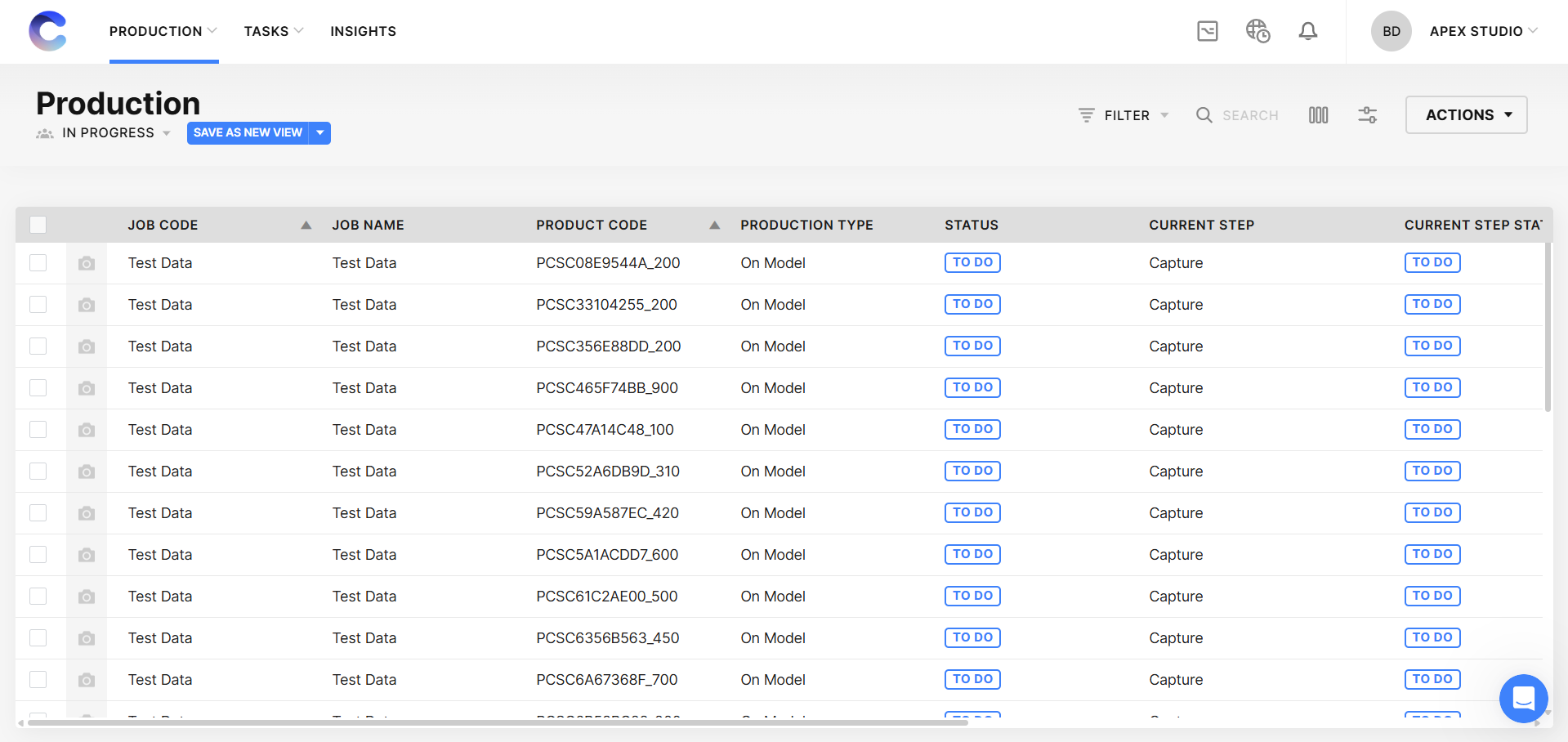
After logging in, you will be directed to the below page.
2. Authentication

To create an OAuth2.0 App like below, the user must be an admin user.
2.1. Authentication
Creative Force uses OAuth 2.0 Client Credentials flow to authenticate users and send requests on user’s behalf.
2.2. Register App
You'll need to register your app before getting started. A registered app is assigned a unique Application ID (OAuth: Client ID) and Secret Key (OAuth: Client Secret) which will be used in the Client Credentials flow. The Client Secret should not be shared.
Go to Studio settings → Integrations → Register Apps
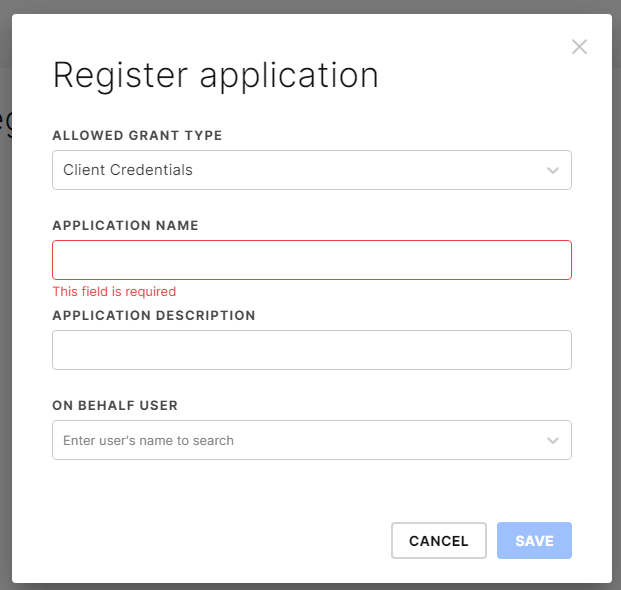
Click “REGISTER APP”.
Choose Client Credentials for Allowed Grant Type.
Enter an application name and description.
Choose a user that the Application will behalf on. You can create a new user if needed. The application will use that user’s permissions, role and group, but not the password or token of that user.
3. Connection Settings and Configuration
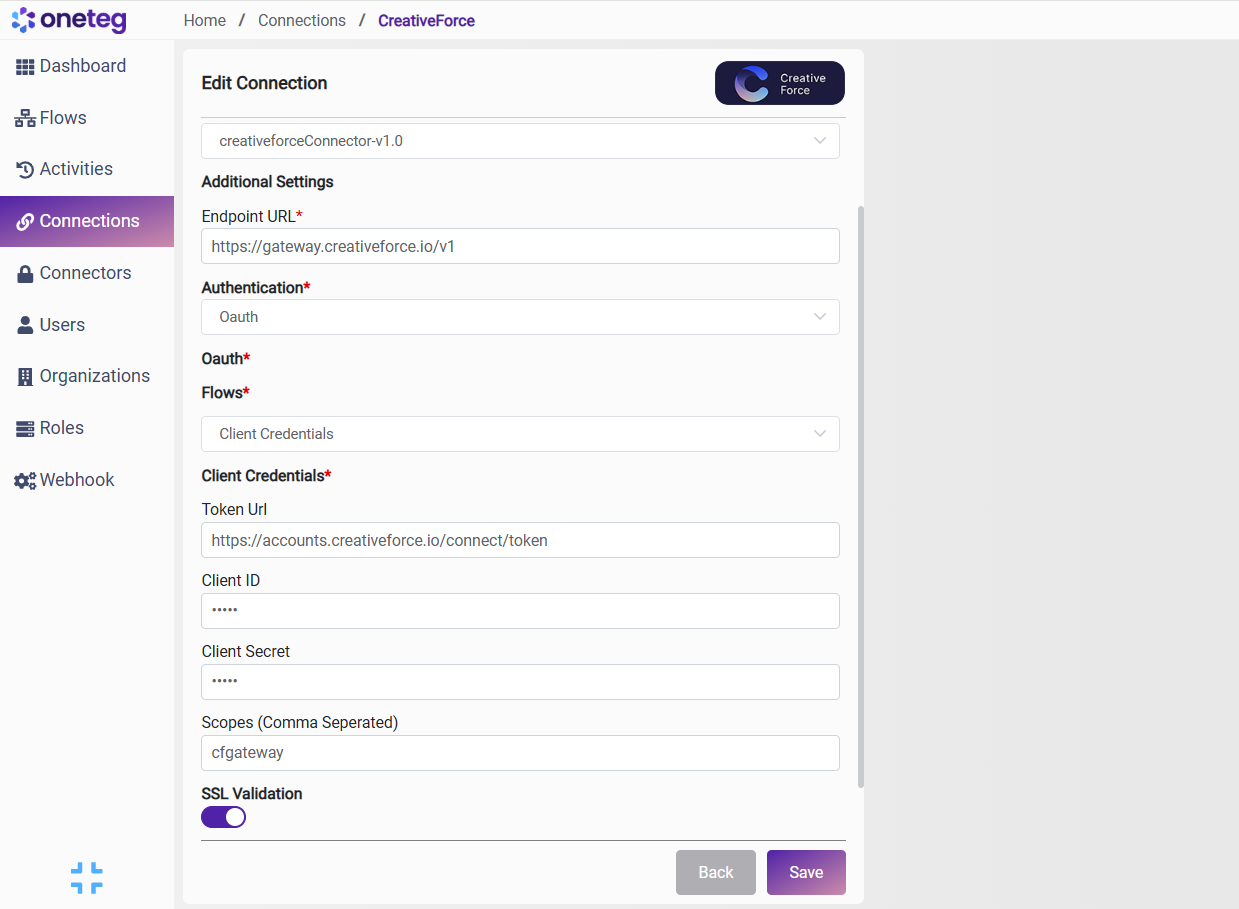
Settings Parameters | Value | Description | Required (Y/N) | Default Value |
|---|---|---|---|---|
Connector | Creative Force | Connector Name | Y | Creative Force |
Endpoint URL | Endpoint required for performing CRUD | Y | ||
Authentication | OAuth2.0 | Type of authentication | Y | OAuth2.0 |
Client ID | {client_id} | {client_id} | Y | {client_id} |
Client Secret | {Client_Secret} | {Client_Secret} | Y | {Client_Secret} |
Token URL | Authentication Endpoint | Y | ||
scopes | cfgateway | Y | cfgateway |
4. More Information on Creative Force
Please visit the Creative Force API documentation for more information and how-tos.
https://developers.creativeforce.io/