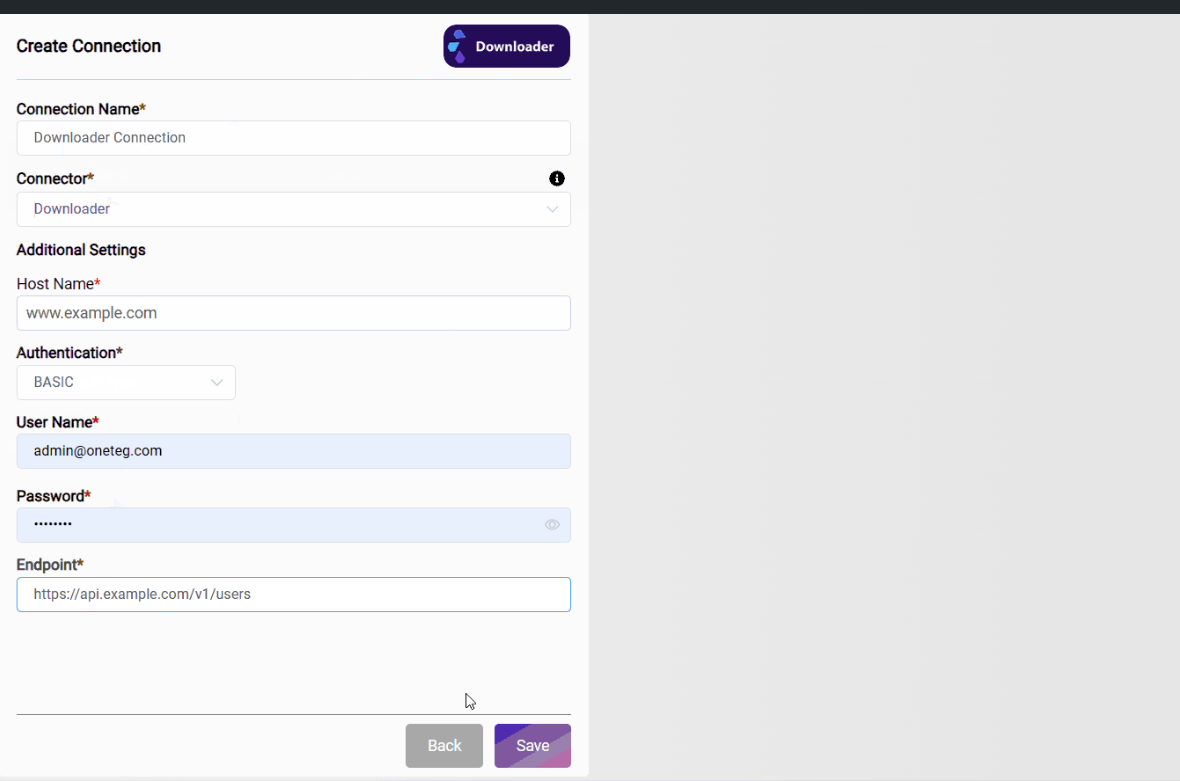
Connections enable OneTeg to log on to other systems with specific
user/system details.
You must have Connections before you can create a Flow. The Connections are put together into steps to create a Flow.
To configure each Connection, you need access to its Connector counterpart.
For each Connection, different fields will need to be configured. Some Connections require complicated authorization and parameters, some require only a username & password.
You can create multiple Connections using the same Connector. These connections can point to different endpoints and use different authentication variables or authentication methods for these systems.
Step 1: Go to Connections
From the navigation sidebar, click Connections. This takes you to the list of existing Connections for your Organization.
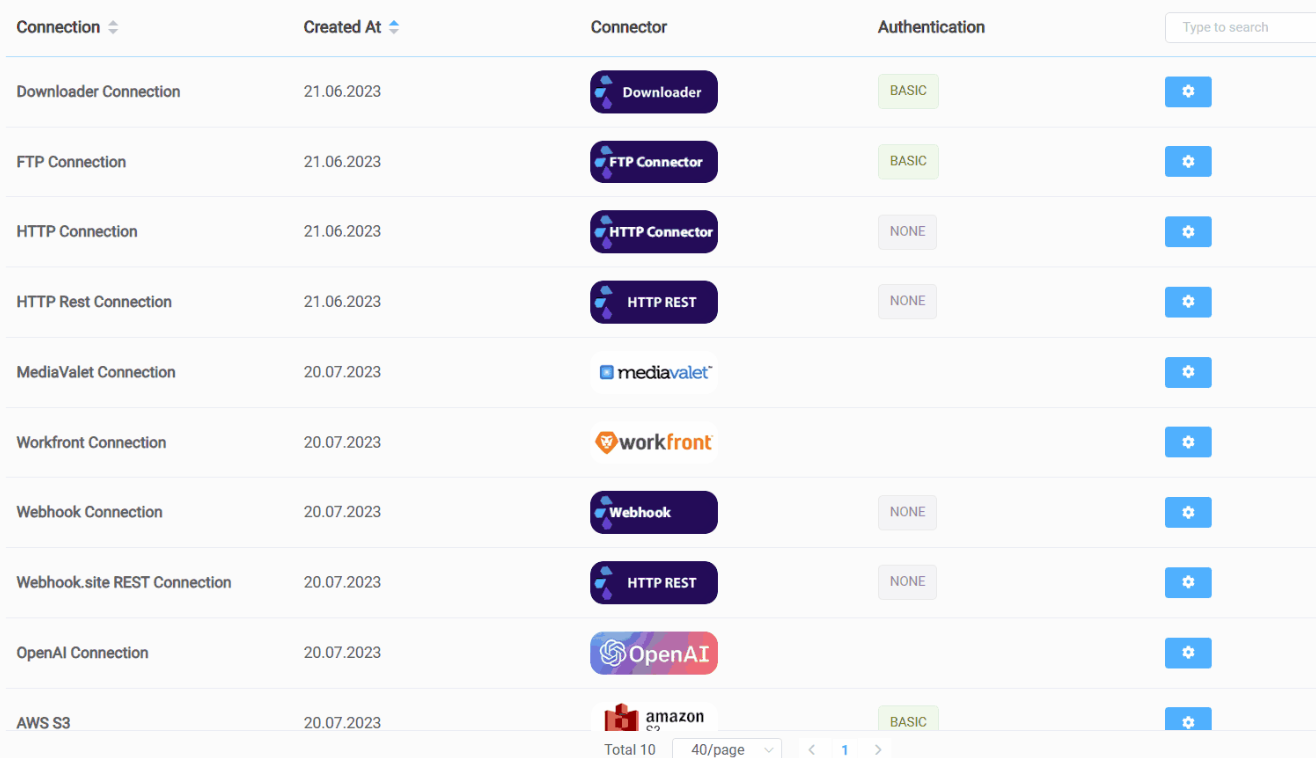
This page shows
-
Connection Name
-
Creation Date
-
Connector
-
Authentication type
-
Active/Inactive toggle
-
Settings gear wheel to edit or delete a Connection. A Connection cannot be deleted if it is used in a Flow.
Step 2: Create a new Connection
-
Click the Create Connection button on the top right of the Connections List
-
Give the Connection a name
-
Choose the Connector
-
Enter the remaining information. This varies by Connector. See Connector Help for details on each Connector.