
Expressions convert input into certain formats or perform operations with the input.
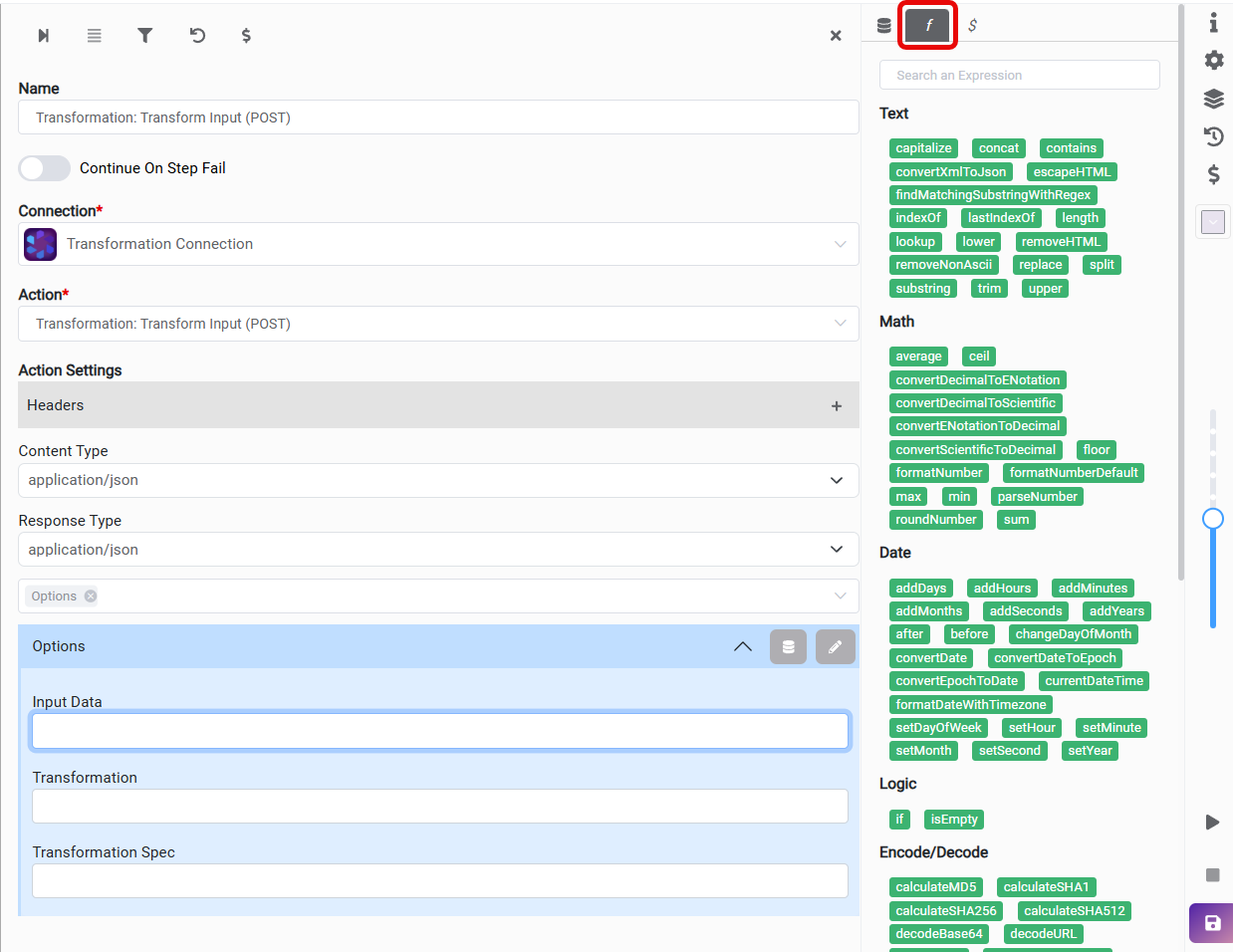
Text Expressions
contains
Returns true if the value contains the input value, otherwise false.
|
Expression |
Result |
|---|---|
|
contains( 'example' , 'exam' ) |
true |
concat
Concatenates a string to the end of another string.
(We have to enclose the statements in single quotation marks.)
|
Expression |
Result |
|---|---|
|
concat( 'exam' , 'ple' ) |
example |
|
concat( 'Today's date is: ' , concat( currentDateTime( 'yyyy-MM-dd' ) , ' in format yyyy-MM-dd' ) ) |
Today's date is: 2024-09-24 in format yyyy-MM-dd |
lower
Converts a string to lowercase.
|
Expression |
Result |
|---|---|
|
lower( 'CYANGATE' ) |
cyangate |
upper
Converts a string to uppercase.
|
Expression |
Result |
|---|---|
|
upper( 'cyangate' ) |
CYANGATE |
replace(input, target, replacement)
Replaces all occurrences of a specified target substring within the input string with a given replacement substring.
|
Expression |
Result |
|---|---|
|
replace( 'Hello Test' , 'Test' , 'World' ) |
Hello World |
substring
Returns the substring that is between the start and the end index. (end character will not be included)
For this case, start index: 0, end index: 4
|
Expression |
Result |
|---|---|
|
substring( 'example' , 0 , 4 ) |
exam |
|
substring( 'example.test' , 0 , indexOf( 'example.test' , '.' ) ) |
example |
capitalize
Capitalizes the first character of the input and converts remaining characters to lowercase.
|
Expression |
Result |
|---|---|
|
capitalize( 'example' ) |
Example |
length
Calculates the length of the string.
|
Expression |
Result |
|---|---|
|
length( 'example' ) |
7 |
indexOf
Returns the index of the first occurrence of a specified value in a string. (Index starts from “0”.)
|
Expression |
Result |
|---|---|
|
indexOf( 'example' , 'a' ) |
2 |
lastIndexOf
Returns the index of the last occurrence of a specified value in a string. (Index starts from “0”.)
|
Expression |
Result |
|---|---|
|
lastIndexOf( 'exam.ple.jpg' , '.' ) |
8 |
removeNonAscii
Removes all non-ASCII characters from a text string.
|
Expression |
Result |
|---|---|
|
removeNonAscii( 'Hidd©©©en??Ascii ©©®®®Charac££ter' ) |
Hidden??Ascii Character |
split
Splits a string into an array of strings by separating the string into substrings.
|
Expression |
Result |
|---|---|
|
split( 'Split a string, by comma.' , ',' ) |
[
|
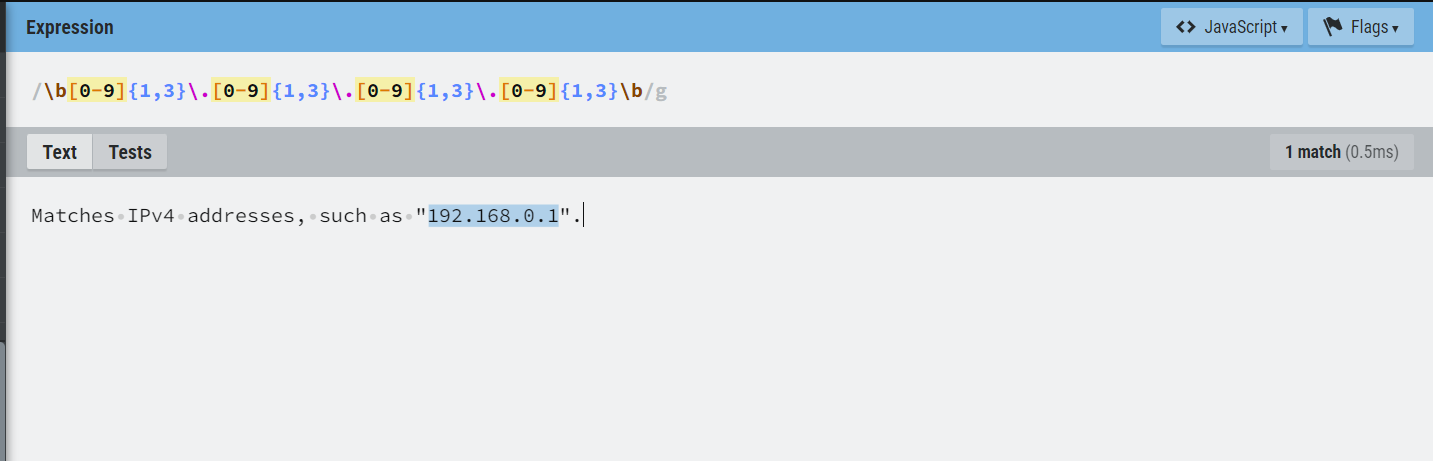
findMatchingSubstringWithRegex(input, regex, returnMode)
Finds the first substring in the input string that matches the given regular expression. Returns a string containing either the first matched substring (if returnMode is "0"), or an array containing all matched substrings (if returnMode is "1").
Regex pattern:
\b(?:https?|ftp):\/\/[-A-Za-z0-9+&@#\/%?=~_|!:,.;]*[-A-Za-z0-9+&@#\/%=~_|]\b
Explanation: Matches URLs, such as https://www.example.com
Regex pattern:
\b[A-Za-z0-9._%+-]+@[A-Za-z0-9.-]+\.[A-Z|a-z]{2,}\b
Explanation: Matches email addresses, such as: joe@email.com
Regex pattern:
\b\d{2}\/\d{2}\/\d{4}\b
Explanation: Matches dates in MM/DD/YYYY format, such as 10/25/2024
Regex pattern:
\b\d{3}-\d{2}-\d{4}\b
Explanation: Matches number format xxx-xx-xxxx 123-45-6789
|
Expression |
Result |
|---|---|
|
findMatchingSubstringWithRegex( 'Matches first number format xxx-xx-xxxx 123-45-6789 000-00-0000' , '\b\d{3}-\d{2}-\d{4}\b' , 0 ) |
123-45-6789 |
|
findMatchingSubstringWithRegex( 'Matches all number format xxx-xx-xxxx 123-45-6789 000-00-0000' , '\b\d{3}-\d{2}-\d{4}\b' , 1 ) |
[
|
|
findMatchingSubstringWithRegex( 'Matches first URL, such as "https://www.example.com"' , '\b(?:https?|ftp):\/\/[-A-Za-z0-9+&@#\/%?=~_|!:,.;]*[-A-Za-z0-9+&@#\/%=~_|]\b' , 0 ) |
https://www.example.com |
|
findMatchingSubstringWithRegex( 'Matches all email addresses, such as: jane.doe@example.com abc@test.com' , '\b[A-Za-z0-9._%+-]+@[A-Za-z0-9.-]+\.[A-Z|a-z]{2,}\b' , 1 ) |
[
|
|
findMatchingSubstringWithRegex( 'Matches first date in MM/DD/YYYY format, such as 07/11/2024 and 10/25/2024' , '\b\d{2}\/\d{2}\/\d{4}\b' , 0 ) |
07/11/2024 |
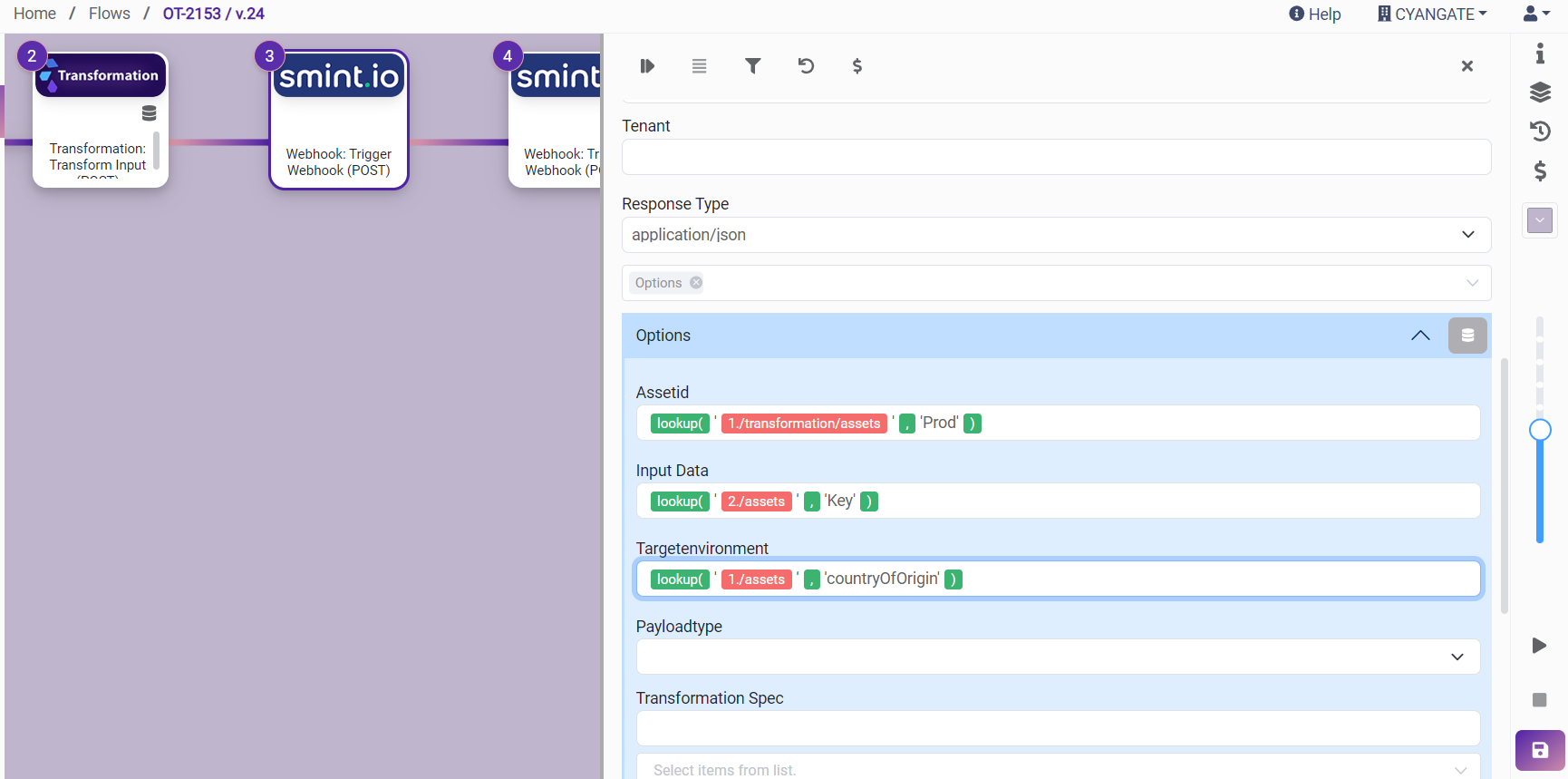
lookup(data, key)
Looks up a value associated with a given key in an array of pairs. Returns the value associated with the given key, or an empty string if the key is not found.
Example Key-Value Table Representation:
|
Key |
Value |
|---|---|
|
Yes |
Y |
|
No |
N |
|
Product |
Prod |
|
Prod |
Production |
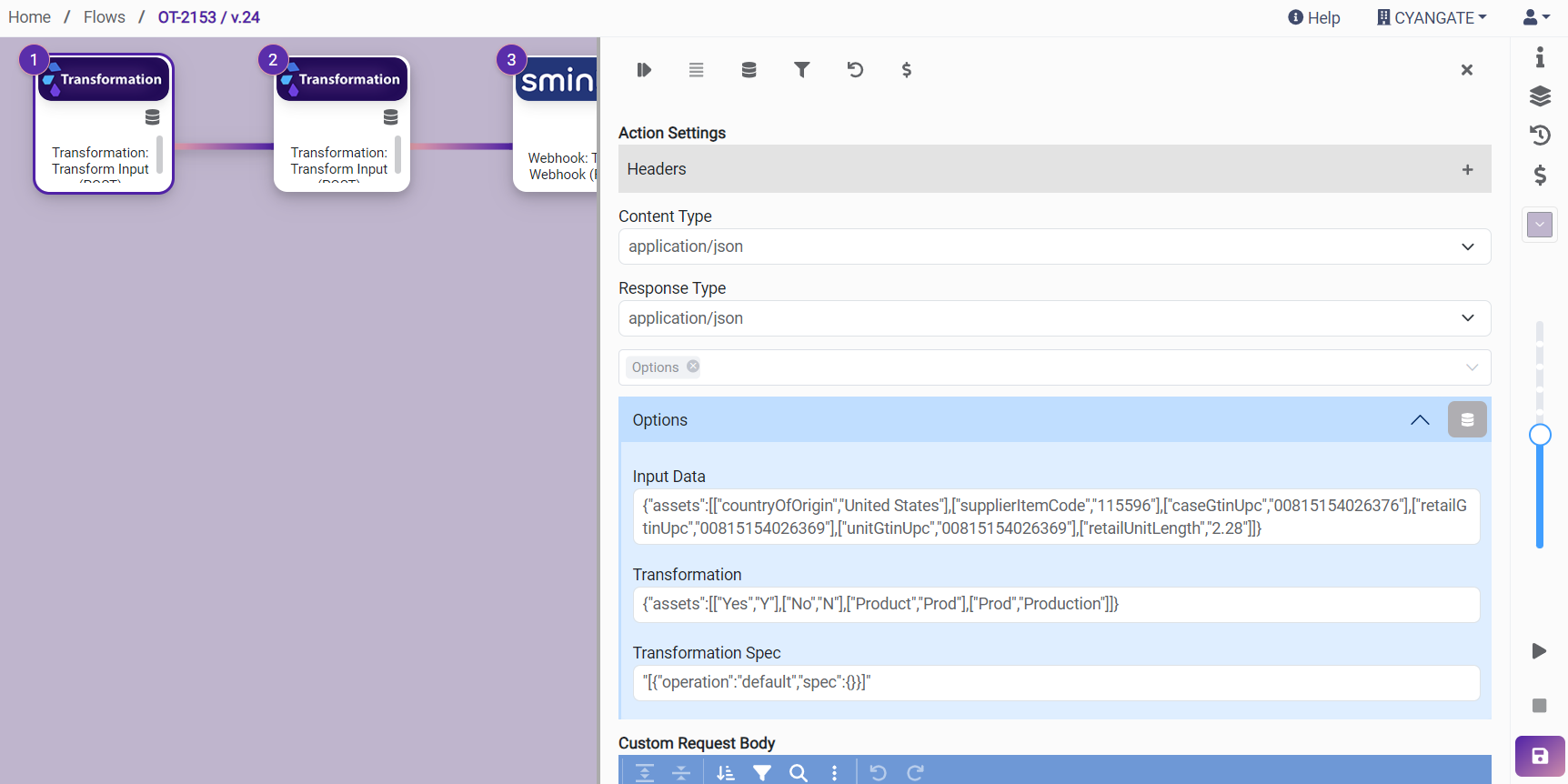
With transformation connector:
{"assets":[["Yes","Y"],["No","N"],["Product","Prod"],["Prod","Production"]]}
{"assets":[["countryOfOrigin","United States"],["supplierItemCode","115596"],["caseGtinUpc","00815154026376"],["retailGtinUpc","00815154026369"],["unitGtinUpc","00815154026369"],["retailUnitLength","2.28"]]}
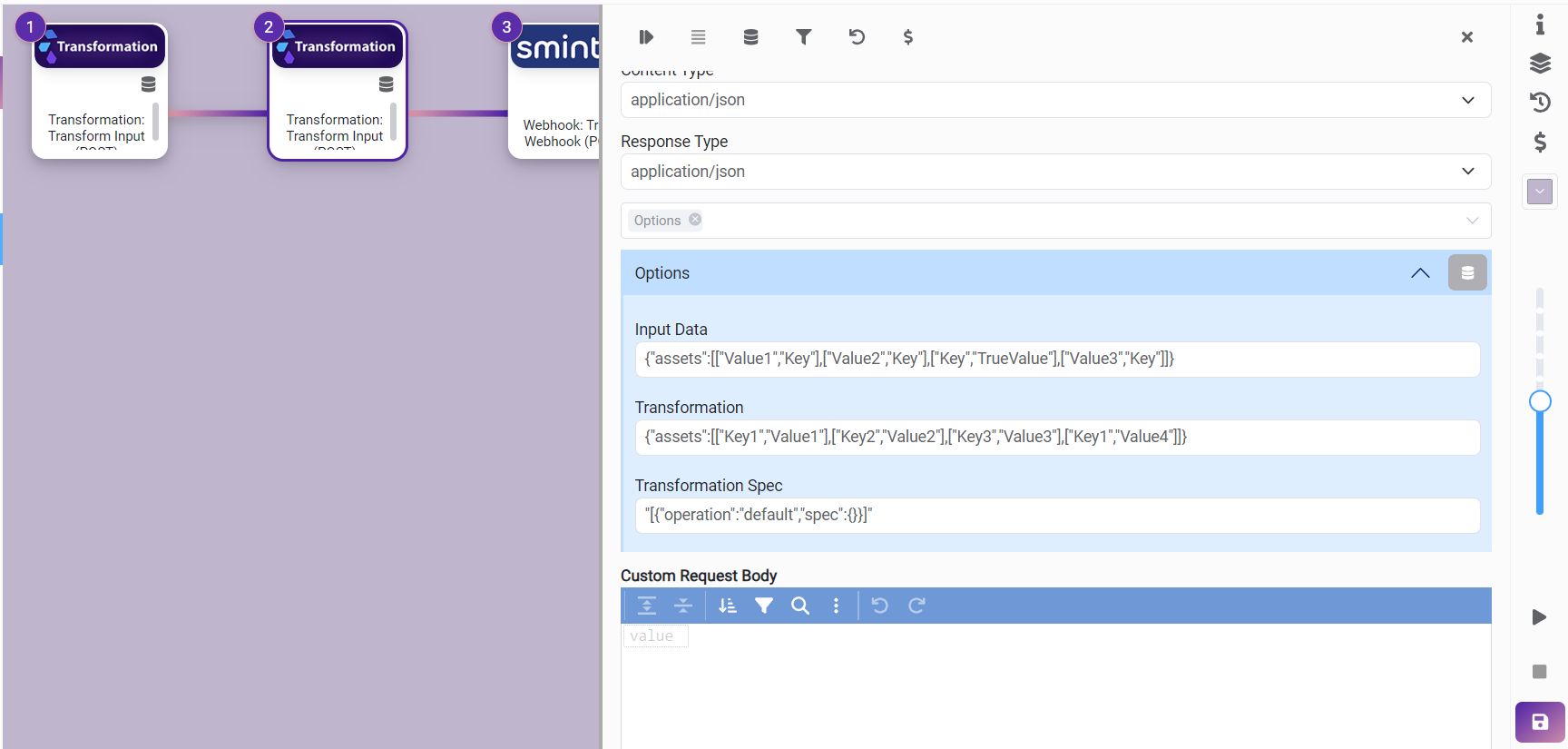
{"assets":[["Value1","Key"],["Value2","Key"],["Key","TrueValue"],["Value3","Key"]]}
{"assets":[["Key1","Value1"],["Key2","Value2"],["Key3","Value3"],["Key1","Value4"]]}
|
Expression |
Result |
|---|---|
|
lookup( '1./transformation/assets' , 'Prod' ) |
Production |
|
lookup( '2./assets' , 'Key' ) |
TrueValue |
|
lookup( '1./assets' , 'countryOfOrigin' ) |
United States |
escapeHTML
Escapes all HTML tags in text.
|
Expression |
Result |
|---|---|
|
escapeHTML( '<script>alert('Hello, World!');</script>' ) |
<script>alert('Hello, World!');</script> |
removeHTML
Removes all HTML tags from text.
|
Expression |
Result |
|---|---|
|
removeHTML( '<b>Hello</b>' ) |
Hello |
convertXMLToJson
Converts the given XML string to JSON.
|
Expression |
Result |
|---|---|
|
convertXmlToJson( '<?xml version="1.0" encoding="UTF-8"?> - <note> <to>Tove</to> <from>Jani</from> <heading>Reminder</heading> <body>Don't forget me this weekend!</body> </note>' ) |
{
|
trim
Trims leading and trailing whitespace from the input string. Removes whitespace from the beginning and end of the provided string. Any internal whitespace within the string is not affected.
Currently, we are entering inputs with single quotes at the beginning and end, but after this development is deployed, there will be no need to use single quotes.
|
Expression |
Result |
|---|---|
|
trim( ' test text with spaces ' ) |
test text with spaces |
|
trim( 'test without spaces' ) |
test without spaces |
|
trim( '' ) |
"" (empty string) |
Encode/Decode Expressions
transformToBase64
Transforms string to base64.
|
Expression |
Result |
|---|---|
|
transformToBase64( 'hello world' ) |
aGVsbG8gd29ybGQ= |
decodeBase64
Decodes base64 to string.
|
Expression |
Result |
|---|---|
|
decodeBase64( 'SGVsbG8gV29ybGQ=' ) |
Hello World |
decodeURL
Decodes special characters in URL.
|
Expression |
Result |
|---|---|
|
decodeURL( 'http%3A%2F%2Fwww.techcompany.com%2Fdigital-electronics%2Finnovations.ps' ) |
http://www.techcompany.com/digital-electronics/innovations.ps |
encodeURL
Encodes special characters in a text to a valid URL address.
|
Expression |
Result |
|---|---|
|
encodeURL( 'http://www.techcompany.com/digital-electronics/innovations.ps' ) |
http%3A%2F%2Fwww.techcompany.com%2Fdigital-electronics%2Finnovations.ps |
transformToHex
Converts string to hex data.
|
Expression |
Result |
|---|---|
|
transformToHex( 'hello world' ) |
68656c6c6f20776f726c64 |
calculateMD5
Calculates the md5 hash of a string.
|
Expression |
Result |
|---|---|
|
calculateMD5( 'hello world' ) |
5eb63bbbe01eeed093cb22bb8f5acdc3 |
calculateSHA1
Calculates the sha1 hash of a string.
|
Expression |
Result |
|---|---|
|
calculateSHA1( 'hello world' ) |
2aae6c35c94fcfb415dbe95f408b9ce91ee846ed |
calculateSHA256
Calculates the sha256 hash of a string.
|
Expression |
Result |
|---|---|
|
calculateSHA256( 'hello world' ) |
b94d27b9934d3e08a52e52d7da7dabfac484efe37a5380ee9088f7ace2efcde9 |
calculateSHA512
Calculates the sha512 hash of a string.
|
Expression |
Result |
|---|---|
|
calculateSHA512( 'hello world' ) |
309ecc489c12d6eb4cc40f50c902f2b4d0ed77ee511a7c7a9bcd3ca86d4cd86f989dd35bc5ff499670da34255b45b0cfd830e81f605dcf7dc5542e93ae9cd76f |
Array Expressions
Input Data:
{"ar":[1,2,1,1,3,4,6]}
addToArray
Adds the value in the input parameter to the array and returns the resulting array.
|
Expression |
Result |
|---|---|
|
addToArray( '1./ar' , 'example' ) |
— |
arrayContains
Checks if an array contains the value.
|
Expression |
Result |
|---|---|
|
arrayContains( '1./ar' , 4 ) |
true |
removeDuplicate
Removes duplicates from an array.
|
Expression |
Result |
|---|---|
|
removeDuplicate( '1./ar' ) |
[1,2,3,4,6] |
findFirstInArray
Returns the first element of the array.
|
Expression |
Result |
|---|---|
|
findFirstInArray( '1./ar' ) |
1 |
findLastInArray
Returns the last element of the array.
|
Expression |
Result |
|---|---|
|
findLastInArray( '1./ar' ) |
6 |
removeItemWithIndex
Removes the item with given index from the given array. (index starts from 0)
|
Expression |
Result |
|---|---|
|
removeItemWithIndex( '1./ar' , 3 ) |
[1,2,1,3,4,6] |
clearArray
Clears an array and returns the empty array.
|
Expression |
Result |
|---|---|
|
clearArray( '1./ar' ) |
[] |
reverseArray
Reverses the elements of an array.
|
Expression |
Result |
|---|---|
|
reverseArray( '1./ar' ) |
[6,4,3,1,1,2,1] |
shuffleArray
Shuffles (randomly reorders) elements of an array.
|
Expression |
Result |
|---|---|
|
shuffleArray( '1./ar' ) |
[6, 1, 3, 1, 1, 2, 4] |
The order is random, so the result changes each time it runs.
sliceArray
Slices the elements of an array based on the start and end index, and returns a new array containing only selected items between start and end index.
|
Expression |
Result |
|---|---|
|
sliceArray( '1./ar' , 0 , 4 ) |
[1,2,1,1] |
-
Start index will be included.
-
End index will be excluded.
sortArray
Sorts the elements of an array based on the order parameter.
Transformation:
{"toSort":[1,5,8,Z,a,A,b,B,*,?,-]}
|
Expression |
Result |
|---|---|
|
sortArray( '2./transformation/toSort' , 'asc' ) |
[null, "*", "-", 1, 5, 8, "?", "A", "B", "Z", "a", "b"] |
|
sortArray( '2./transformation/toSort' , 'desc' ) |
["b", "a", "Z", "B", "A", "?", 8, 5, 1, "-", "*", null] |
-
Order parameter should be either ‘asc’ or ‘desc’
-
asc - ascending order: 1, 2, 3, ... for type Number. A, B, C, a, b, c, ... for type Text.
-
desc - descending order: ..., 3, 2, 1 for type Number. ..., c, b, a, C, B, A for type Text.
-
joinArray
Concatenates all the items of an array into a string, using a specified separator between each item.
Input Data:
{"ar":[1,2,1,1,3,4,6]}
Transformation:
{"flatten":[0, 1, [2, [3, [4, 5]]]]}
|
Expression |
Result |
|---|---|
|
joinArray( '1./ar' , '*' ) |
1*2*1*1*3*4*6 |
|
joinArray( '1./transformation/flatten' , '@' ) |
0@1@2@3@4@5 |
mergeArrays
Merges two arrays into one array and returns new array that contains all the items of first array and second array.
|
Expression |
Result |
|---|---|
|
mergeArrays( '1./ar' , '2./ar2D' ) |
[1,2,1,1,3,4,6,[1,2,3],[3,4]] |
flattenArray
Creates a new array with all sub-array elements concatenated into it recursively up to the specified depth.
Transformation:
{"flatten":[0, 1, [2, [3, [4, 5]]]]}
|
Expression |
Result |
|---|---|
|
flattenArray( '1./transformation/flatten' , 2 ) |
[0,1,2,3,[4,5]] |
|
flattenArray( '1./transformation/flatten' , 3 ) |
[0,1,2,3,4,5] |
|
flattenArray( '1./transformation/flatten' , 1 ) |
[0,1,2,[3,[4,5]]] |
transposeArray
Transposes the given array and returns resulting array.
-
Example for transpose:
Input Data:
{"transpose":[[1,2,3],[4,5,6],[7,8,9]]}
|
Expression |
Result |
|---|---|
|
transposeArray( '3./transpose' ) |
[[1,4,7],[2,5,8],[3,6,9]] |
toArray
Converts a collection into an array of key-value collections.
|
Expression |
Result |
|---|---|
|
toArray( '{name=Jane, age=30, surname=Doe}' ) |
["{name=Jane}", "{age=30}", "{surname=Doe}"] |
toCollection
Converts an array containing key-value pairs into a collection.
|
Expression |
Result |
|---|---|
|
toCollection( '[{name=Jane}, {age=30}, {surname=Doe}]' ) |
{"surname": "Doe", "name": "Jane", "age": "30"} |
getRowSize
Returns the row size of an array.
|
Expression |
Result |
|---|---|
|
getRowSize( '1./ar' ) |
1 |
|
getRowSize( '2./ar2D' ) |
2 |
getColumnSize
Returns the column size of an array. If sizes of the columns different in multidimensional arrays, it returns max column size as in ar2D.
|
Expression |
Result |
|---|---|
|
getColumnSize( '1./ar' ) |
7 |
|
getColumnSize( '3./transpose' ) |
3 |
|
getColumnSize( '2./ar2D' ) |
3 |
Omit
Removes the input key from the input array and returns the remaining elements.
Input Data:
{"ar":[11,12,13,13,13,14]}
|
Expression |
Result |
|---|---|
|
omit( '1./ar' , '13' ) |
[11,12,14] |
Pick
Returns all values that match the input key in the input array.
Input Data:
{"ar":[11,12,13,13,13,14,key]}
|
Expression |
Result |
|---|---|
|
pick( '1./ar' , '13' ) |
[13,13,13] |
Logic Expressions
isEmpty
Checks whether the given input is empty or not. If empty, it returns true, otherwise false. Input can be a string, an array or an json object.
|
Expression |
Result |
|---|---|
|
isEmpty( '2./emptyArray' ) |
true |
If
Returns the value in the second input (the true case) if the condition in the first input is true. If the condition is false, returns the value in the third input (the false case).
|
Expression |
Result |
|---|---|
|
if( '1!=2' , 'true case' , 'false case' ) |
true case |
-
If inside if:
|
Expression |
Result |
|---|---|
|
if( '1==1' , if( ' "m"=="n" ' , 'inner true' , 'inner false' ) , 'false' ) |
inner false |
-
We can also use another expression within the if expression as below:
|
Expression |
Result |
|---|---|
|
if( '1 == 1' , 'true' , 'false' ) |
true |
|
if( isEmpty( '' ) , 'tr' , 'f' ) |
tr |
|
if( 'example' contains( 'exam' ) , '1' , '2' ) |
1 |
General Expressions
getFromJsonPath
Returns the value found at the given path in a JSON. Enter the JSON in the first input and the path of the variable you want to get in the second input.
{"test":{ "firstName": "John", "lastName": "doe", "age": 26, "address": { "streetAddress": "naist street", "city": "Nara", "postalCode": "630-0192" }, "phoneNumbers": [ { "type": "iPhone", "number": "0123-4567-8888" }, { "type": "home", "number": "0123-4567-8910" } ] }}
In this example, the JSON above is entered in the Transformation field of step 1.
|
Expression |
Result |
|---|---|
|
getFromJsonPath( '1./transformation/test' , 'phoneNumbers[0].type' ) |
iPhone |
Math Expressions
ceil(number)
Returns the smallest integer greater than or equal to a specified number.
|
Expression |
Result |
|---|---|
|
ceil( 1.2 ) |
2 |
|
ceil( 1.9 ) |
2 |
|
ceil( 4 ) |
4 |
floor(number)
Returns the largest integer less than or equal to a specified number.
|
Expression |
Result |
|---|---|
|
floor( 1.2 ) |
1 |
|
floor( 1.9 ) |
1 |
|
floor( 4 ) |
4 |
formatNumber(number, decimalPoints, decimalSeparator, thousandsSeparator)
Formats a number according to the provided parameters and returns the formatted number.
|
Expression |
Result |
|---|---|
|
formatNumber( 123456789 , 3 , ',' , '.' ) |
123.456.789,000 |
parseNumber(number, decimal separator)
Parses a string with a number and returns the parsed number.
|
Expression |
Result |
|---|---|
|
parseNumber( '1 756,456' , ',' ) |
1756.456 |
roundNumber(number)
Rounds a numeric value to the nearest integer.
|
Expression |
Result |
|---|---|
|
roundNumber( 1.2 ) |
1 |
|
roundNumber( 1.5 ) |
2 |
|
roundNumber( 2 ) |
2 |
convertScientificToDecimal(scientific notation)
Converts a number from scientific notation of the form "nx10^E" to decimal number.
|
Expression |
Result |
|---|---|
|
convertScientificToDecimal( '4.321 768 x 10^3' ) |
4321.768 |
|
convertScientificToDecimal( '-5.3x10^4' ) |
-53000 |
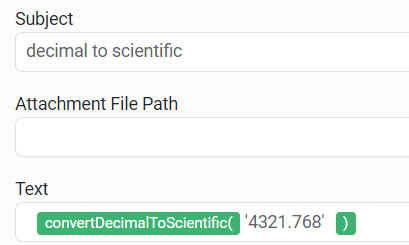
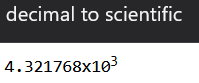
convertDecimalToScientific(decimal number)
Converts a decimal number to scientific notation of the form "nx10^E" where n is the significand and E is the exponent.
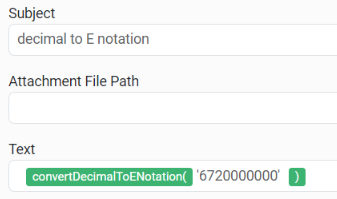
convertDecimalToENotation(decimal number)
Converts a decimal number into scientific E notation. The scientific notation will be formatted to include all significant digits with an 'E' indicating the exponent.
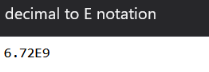
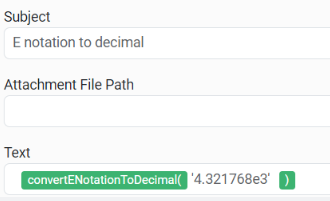
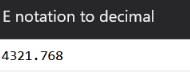
convertENotationToDecimal(E notation)
Converts a number from E notation to a decimal number. Takes the input number in E notation with an 'E' or 'e' indicating the exponent.
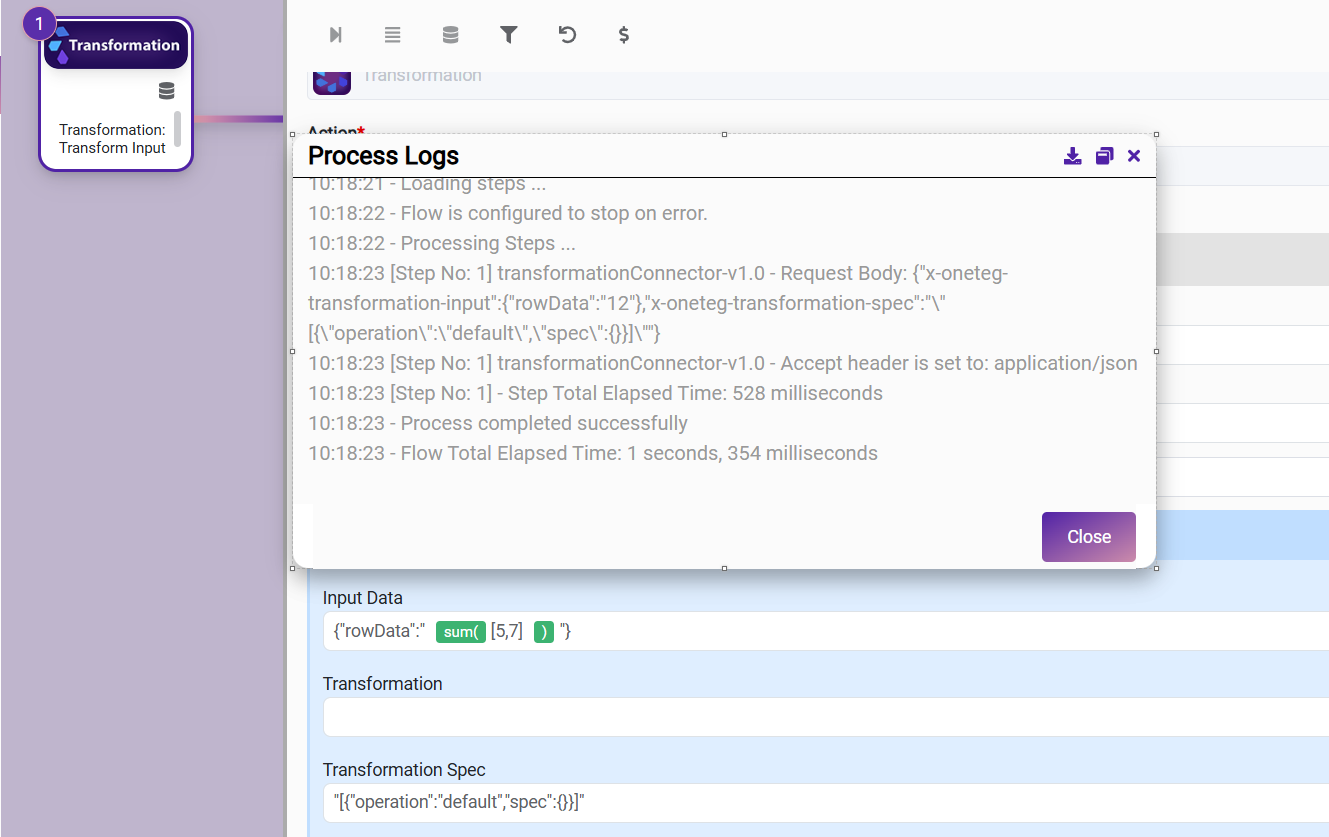
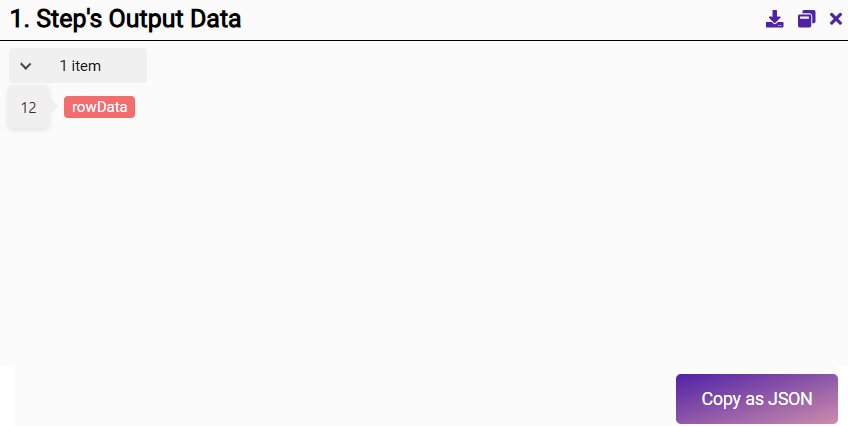
sum(array of numbers)
Calculates the sum of numeric values in an array. Handles both integers and doubles, and ignores non-numeric values in the array. If the array contains no numeric values, the method returns an empty string.
|
Expression |
Result |
|---|---|
|
sum result1: sum( [10, 20.5, 30, 40.5] ) |
sum result1: 101 |
|
sum result 2: sum( [text, 10, 10, 10] ) |
sum result 2:30 |
|
sum result 3: sum( [1.5, 2.58, 3.534] ) |
sum result 3: 7.614 |
Date Expressions
currentDateTime(format)
Returns the current date with the specified format.
|
Expression |
Result |
|---|---|
|
currentDateTime( 'dd-MM-yyyy HH:mm:ss-SSS' ) |
26-06-2024 11:30:49-899 |
addDays (date, number)
Adds or subtracts the specified number of days from the given date-time. Returns a new date as a result of adding a given number of days to a date. To subtract days, enter a negative number.
|
Expression |
Result |
|---|---|
|
addDays( '2016-12-08T15:55:57.536Z' , 2 ) |
2016-12-10T15:55:57.536Z |
|
addDays( '2016-12-08T15:55:57.536Z' , -2 ) |
2016-12-06T15:55:57.536Z |
addHours (date, number)
Adds or subtracts the specified number of hours from the given date-time. Returns a new date as a result of adding a given number of hours to a date. To subtract hours, enter a negative number.
|
Expression |
Result |
|---|---|
|
addHours( '2016-12-08T15:55:57.536Z' , 2 ) |
2016-12-08T17:55:57.536Z |
|
addHours( '2016-12-08T15:55:57.536Z' , -2 ) |
2016-12-08T13:55:57.536Z |
addMinutes (date, number)
Adds or subtracts the specified number of minutes from the given date-time. Returns a new date as a result of adding a given number of minutes to a date. To subtract minutes, enter a negative number.
|
Expression |
Result |
|---|---|
|
addMinutes( '2016-12-08T15:55:57.536Z' , 2 ) |
2016-12-08T15:57:57.536Z |
|
addMinutes( '2016-12-08T15:55:57.536Z' , -2 ) |
2016-12-08T15:53:57.536Z |
addMonths (date, number)
Adds or subtracts the specified number of months from the given date-time. Returns a new date as a result of adding a given number of months to a date. To subtract months, enter a negative number.
|
Expression |
Result |
|---|---|
|
addMonths( '2016-12-08T15:55:57.536Z' , 2 ) |
2017-02-08T15:55:57.536Z |
|
addMonths( '2016-12-08T15:55:57.536Z' , -2 ) |
2016-10-08T15:55:57.536Z |
addSeconds (date, number)
Adds or subtracts the specified number of seconds from the given date-time. Returns a new date as a result of adding a given number of seconds to a date. To subtract seconds, enter a negative number.
|
Expression |
Result |
|---|---|
|
addSeconds( '2016-12-08T15:55:57.536Z' , 2 ) |
2016-12-08T15:55:59.536Z |
|
addSeconds( '2016-12-08T15:55:57.536Z' , -2 ) |
2016-12-08T15:55:55.536Z |
addYears (date, number)
Adds or subtracts the specified number of years from the given date-time. Returns a new date as a result of adding a given number of years to a date. To subtract years, enter a negative number.
|
Expression |
Result |
|---|---|
|
addYears( '2016-12-08T15:55:57.536Z' , 2 ) |
2018-12-08T15:55:57.536Z |
|
addYears( '2016-12-08T15:55:57.536Z' , -2 ) |
2014-12-08T15:55:57.536Z |
setSecond (date, number)
Returns a new date with the seconds specified in parameters. Accepts numbers from 0 to 59.
|
Expression |
Result |
|---|---|
|
setSecond( '2015-10-07T11:36:39.138Z' , 10 ) |
2015-10-07T11:36:10.138Z |
setMinute (date, number)
Returns a new date with the minutes specified in parameters. Accepts numbers from 0 to 59.
|
Expression |
Result |
|---|---|
|
setMinute( '2015-10-07T11:36:39.138Z' , 10 ) |
2015-10-07T11:10:39.138Z |
setHour (date, number)
Returns a new date with the hour specified in parameters. Accepts numbers from 0 to 23.
|
Expression |
Result |
|---|---|
|
setHour( '2015-10-07T11:36:39.138Z' , 10 ) |
2015-10-07T10:36:39.138Z |
setDayOfWeek (date, name of the day in English)
Returns a new date with the day specified in parameters.
|
Expression |
Result |
|---|---|
|
setDayOfWeek( '2018-06-27T11:36:39.138Z' , 'monday' ) |
2018-06-25T11:36:39.138Z |
setMonth (date, name of the month in English)
Returns a new date with the month specified in parameters.
|
Expression |
Result |
|---|---|
|
setMonth( '2015-08-07T11:36:39.138Z' , 'january' ) |
2015-01-07T11:36:39.138Z |
setYear (date, number)
Returns a new date with the year specified in parameters.
|
Expression |
Result |
|---|---|
|
setYear( '2015-08-07T11:36:39.138Z' , 2017 ) |
2017-08-07T11:36:39.138Z |
changeDayOfMonth(date, number)
Returns a new date with the day of the month specified in parameters. Accepts numbers from 1 to 31. If a number is given outside of the range, it will return the day from the previous or subsequent month(s), accordingly.
|
Expression |
Result |
|---|---|
|
changeDayOfMonth( '2015-08-07T11:36:39.138Z' , 5 ) |
2015-08-05T11:36:39.138Z |
before(date1, date2, format)
Checks if date1 is before date2.
|
Expression |
Result |
|---|---|
|
before( '2024-06-15T08:00:00' , '2024-06-12T12:00:00' , 'yyyy-MM-dd'T'HH:mm:ss' ) |
false |
|
before( '2024-06-12T12:00:00' , '2024-06-15T08:00:00' , 'yyyy-MM-dd'T'HH:mm:ss' ) |
true |
|
before( currentDateTime( 'yyyy-MM-dd'T'HH:mm:ss' ) , currentDateTime( 'yyyy-MM-dd'T'HH:mm:ss' ) , 'yyyy-MM-dd'T'HH:mm:ss' ) |
false |
after(date1, date2, format)
Checks if date1 is after date2.
|
Expression |
Result |
|---|---|
|
after( '2024-06-15T08:00:00' , '2024-06-12T12:00:00' , 'yyyy-MM-dd'T'HH:mm:ss' ) |
true |
|
after( '2024-06-12T12:00:00' , '2024-06-15T08:00:00' , 'yyyy-MM-dd'T'HH:mm:ss' ) |
false |
convertDate(date1, format1, format2)
Converts a date string from one format to another.
|
Expression |
Result |
|---|---|
|
convertDate( '20121130' , 'yyyyMMdd' , 'ddMMyyyy' ) |
30112012 |
convertDateToEpoch(date, dateFormat, epochFormat)
Converts a date string to epoch time using the specified format. The format of the epoch should be "ms" for milliseconds, "s" for seconds, "us" for microseconds, "ns" for nanoseconds. If any parameters are invalid, empty, or null, the expression will return an empty string.
|
Expression |
Result |
|---|---|
|
convertDateToEpoch( 'Saturday, December 1, 2018 12:00:00 AM' , 'EEEE, MMMM d, yyyy hh:mm:ss a' , 'ms' ) |
1543622400000 |
convertEpochToDate(epoch, dateFormat, epochFormat)
Converts the given epoch time to a formatted date string based on the provided format. The format of the epoch should be "ms" for milliseconds, "s" for seconds, "us" for microseconds, "ns" for nanoseconds. If any parameters are invalid, empty, or null, the expression will return an empty string.
|
Expression |
Result |
|---|---|
|
convertEpochToDate( '1543622400000' , 'EEEE, MMMM d, yyyy hh:mm:ss a' , 'ms' ) |
Saturday, December 1, 2018 12:00:00 AM |
formatDateWithTimezone(date, input format, output format, timezone offset)
Converts a date string from one format to another, adjusting for the specified timezone offset. This expression can handle both date strings that include timezone information (ZonedDateTime) and those without timezone information (LocalDateTime). It applies the given timezone offset to the date, then returns the date in the desired output format with the adjusted timezone.
date: 2024-09-10T14:19:58.999Z[UTC]
input format: yyyy-MM-dd'T'HH:mm:ss.SSSX'['z']'
output format: dd-MM-yyyy'T'HH:mm:ss
timezone offset: +3
|
Expression |
Result |
|---|---|
|
formatDateWithTimezone( '2024-09-10T14:19:58.999Z[UTC]' , 'yyyy-MM-dd'T'HH:mm:ss.SSSX'['z']' , 'dd-MM-yyyy'T'HH:mm:ss' , '+3' ) |
10-09-2024T17:19:58 |
date: Last Successful Completion Time (2024-11-22T12:08:37.466Z[UTC])
input format: yyyy-MM-dd'T'HH:mm:ss.SSSX'['z']'
output format: dd-MM-yyyy'T'HH:mm:ss
timezone offset: +3
|
Expression |
Result |
|---|---|
|
formatDateWithTimezone( 'Last Successful Completion Time' , 'yyyy-MM-dd'T'HH:mm:ss.SSSX'['z']' , 'dd-MM-yyyy'T'HH:mm:ss' , '+3' ) |
22-11-2024T15:08:37 |
Example Expressions
Getting File Name Without The Extension
In this example, we are removing the file extension, e.g., asset123.jpg will be transformed into asset123:
