
Expressions are used in OneTeg to convert inputs into specific formats or to perform operations with these inputs.
To use expressions, start by selecting which flow step you want to use expressions in. When the step is loaded, click the “Step Expressions” button on the top side of the drawer menu.
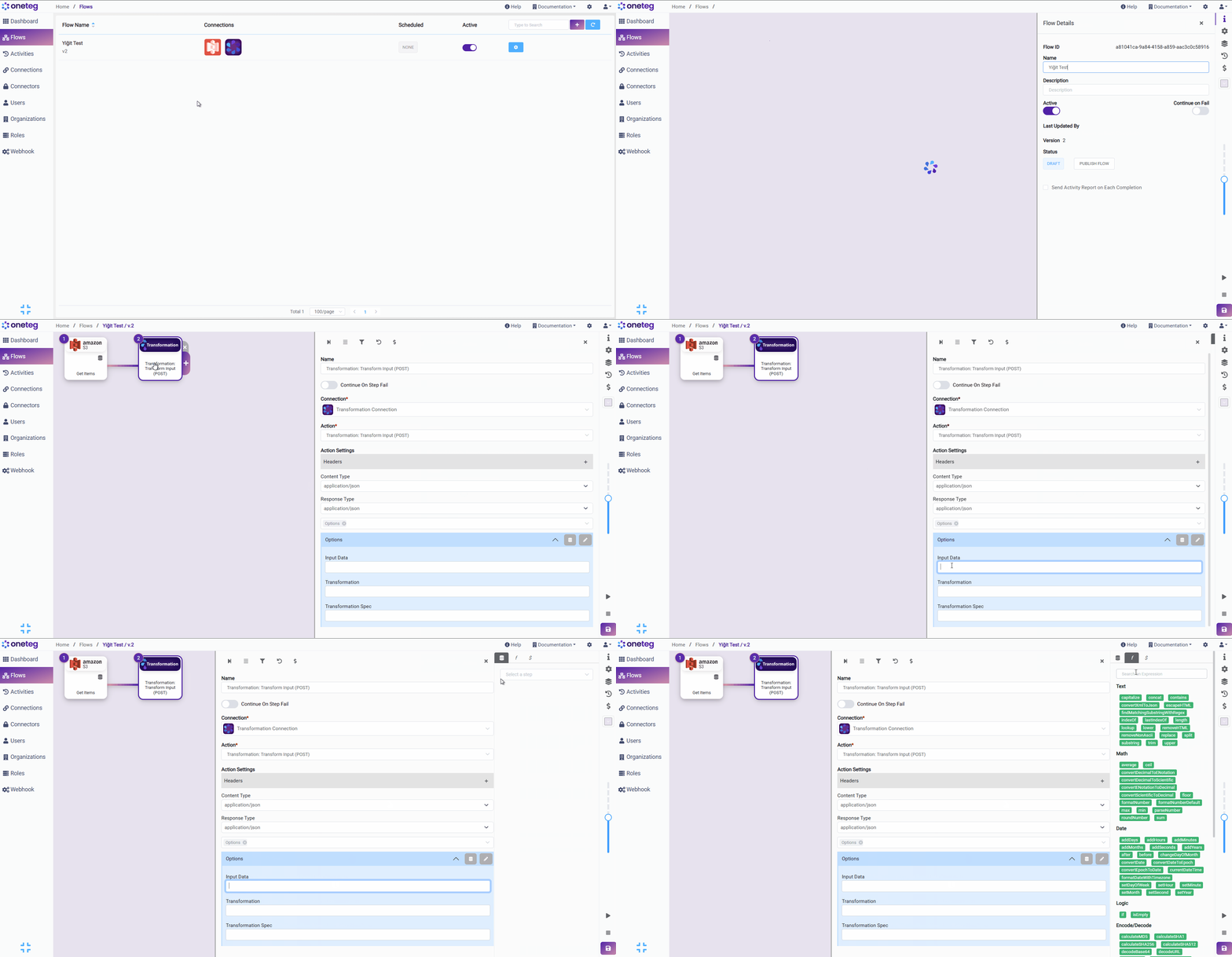
Expressions are categorized as:
-
Text
-
Math
-
Date
-
Logic
-
Encode / Decode
-
Array
-
General
-
Arithmetic Operations
-
Relational Operations
-
Logical Operators
When you hover over an expression, you will see the description of what that expression does.

To add the expression, click on the expression.
All expressions have an editing menu that can be accessed by clicking on the expression after it's added to the Flow options settings.
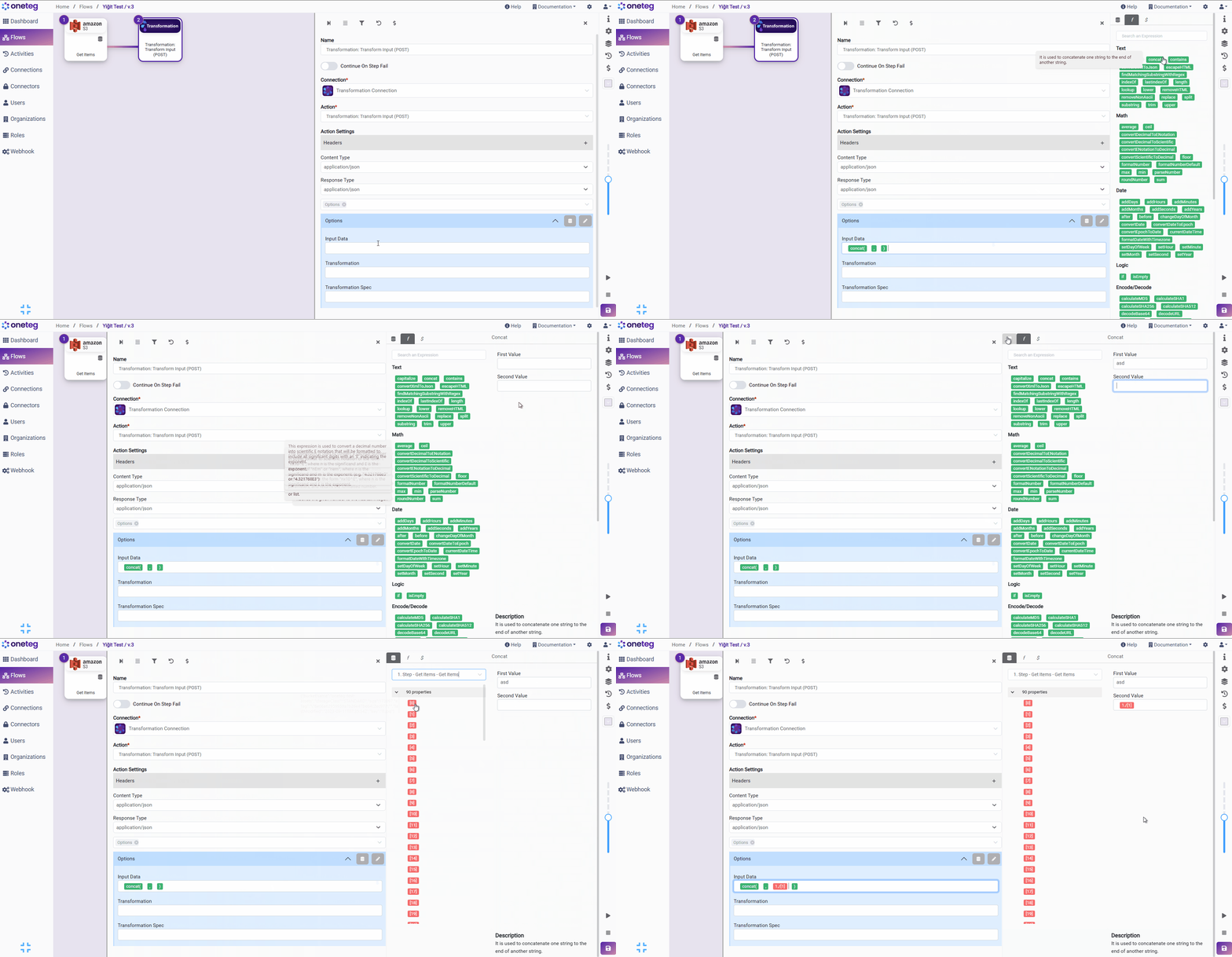
You can use static information on any step added or an output generated from a previous step.
The list of expressions can be accessed from Expressions: Definitions and Usage Examples
.