
1. General Information
Amazon S3 (Simple Storage Service) is AWS’s object storage service, used to store and retrieve any amount of data as objects within containers called buckets. It is widely used for storing files, media, backups, and application assets, with fine-grained access control managed through AWS Identity and Access Management (IAM).
The OneTeg AWS S3 Connector integrates with the Amazon S3 API, enabling users to read and write objects in an S3 bucket directly from OneTeg automation workflows. This connector authenticates using BASIC authentication — an AWS Access Key ID and Secret Access Key.
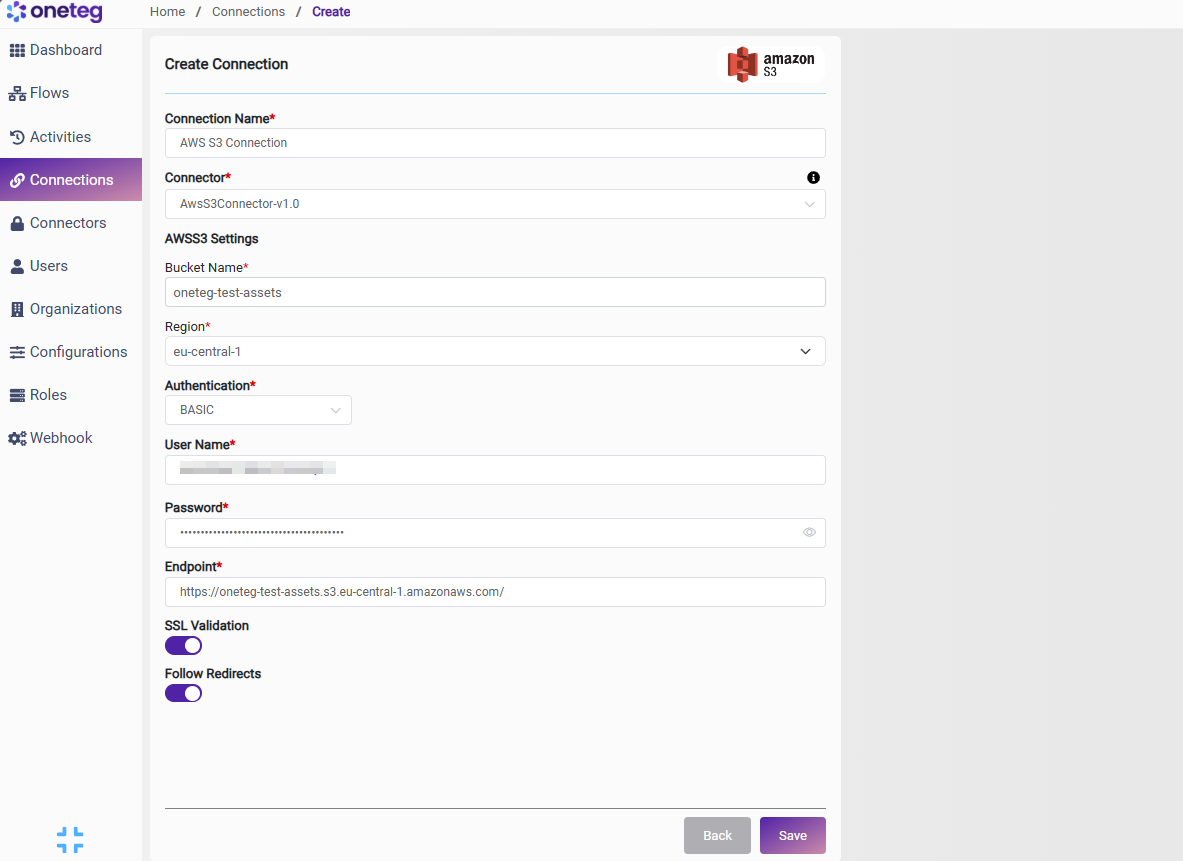
For the AWS S3 Connector, BASIC authentication uses your AWS credentials: enter your Access Key ID as the User Name and your Secret Access Key as the Password. The Endpoint is the Amazon S3 regional service endpoint, and the connector operates on the bucket named in the Bucket Name field.
The connector also works with S3-compatible object storage (for example MinIO or other providers). In that case, use that provider’s access key, secret key, and endpoint URL in place of the AWS values.
Treat the Secret Access Key like a password. Use an IAM user (or role-derived credentials) scoped with least-privilege permissions to only the required bucket — avoid using AWS root account access keys.
2. Connect AWS S3 to OneTeg
The connector authenticates with an AWS Access Key ID and Secret Access Key. Follow the steps below to obtain the credentials and details you will enter into OneTeg.
Step 1 - Create an IAM User with S3 Access
In the AWS IAM Console, create (or select) an IAM user and attach a policy granting the S3 permissions your integration needs on the target bucket — for example s3:ListBucket, s3:GetObject, and s3:PutObject. AWS recommends granting least-privilege access rather than using root account credentials.
Step 2 - Create an Access Key
For that IAM user, open the Security credentials tab and choose Create access key. Copy the Access Key ID and Secret Access Key.
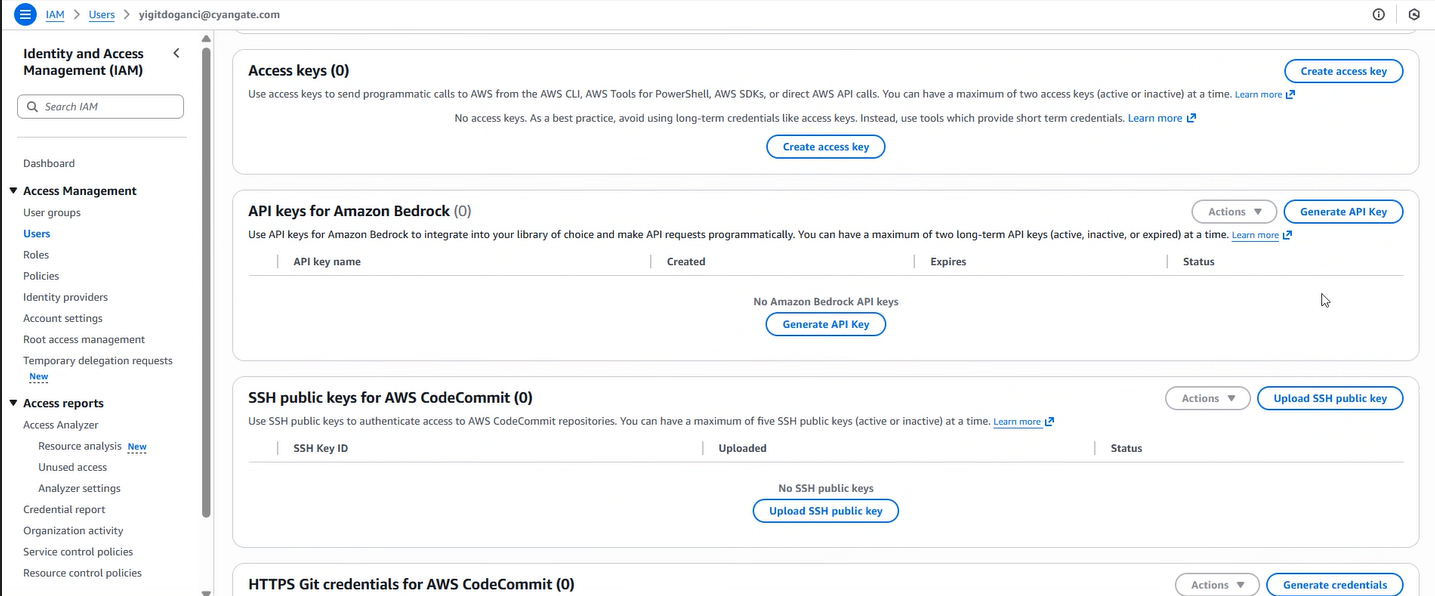
The Secret Access Key is shown only once, at creation. Copy it immediately and store it securely; if it is lost you must create a new access key.
Step 3 - Note Your Bucket, Region, and Endpoint
In the Amazon S3 console, note the exact Bucket Name and the Region it is hosted in (for example us-east-1). Your Endpoint is the regional service endpoint https://s3.{region}.amazonaws.com using that region — for example https://s3.us-east-1.amazonaws.com.
3. Connection Settings and Configuration for OneTeg
In OneTeg, navigate to Connections and create a new connection using the AWS S3 Connector. Enter the settings below.
|
Settings Parameters |
Value / Sample Value |
Description |
Required (Y/N) |
|
Connection Name |
AWS S3 Connection |
Choose a name for your Connection |
Y |
|
Connector |
AwsS3Connector-v1.0 |
Auto-populated once the AWS S3 Connector is selected |
Y |
|
Bucket Name |
your-bucket-name |
The name of the S3 bucket to connect to |
Y |
|
Region |
us-east-1 |
The AWS region where the bucket is hosted (for example us-east-1, eu-west-1) |
Y |
|
Authentication |
BASIC |
Select BASIC as the authentication method |
Y |
|
User Name |
Your AWS Access Key ID |
The AWS Access Key ID of an IAM user with access to the bucket |
Y |
|
Password |
Your AWS Secret Access Key |
The AWS Secret Access Key paired with the Access Key ID above |
Y |
|
Endpoint |
The Amazon S3 regional service endpoint (for example https://s3.us-east-1.amazonaws.com). For S3-compatible storage, use that provider’s endpoint |
Y |
4. Supported AWS S3 Actions and Options
For the full list of supported endpoints, parameters, and options, see the page below: