
1. General Information
Bria (Bria AI) is a visual generative AI platform that lets businesses create and edit images programmatically — including text-to-image generation, background removal and replacement, object editing, product-shot creation, and tailored, on-brand model generation. Bria trains its models exclusively on licensed data, making generated content safe for commercial use. The Bria API provides RESTful access to these image generation and editing capabilities.
The OneTeg Bria Connector integrates with the Bria API, enabling users to generate and edit visual assets directly from OneTeg automation workflows. This connector authenticates using an API Key — a Bria API token.
Bria authenticates by sending your API token in the api_token request header (not as an Authorization: Bearer token). The token is associated with your Bria organization and is created on the Bria platform.
Bria’s image generation endpoints are asynchronous: a request returns a request_id and a status_url, which you poll until processing completes and the resulting image URL is returned.
2. Connect Bria to OneTeg
The connector authenticates with a Bria API token. Follow the steps below to obtain the token you will enter into OneTeg.
Step 1 - Sign in to the Bria Platform
Go to the Bria platform https://platform.bria.ai and sign in, or register for an account if you do not have one.
Step 2 - Open Your Organization Settings
Navigate to your account dashboard / organization management page, where your API token is displayed.
Step 3 - Copy the API Token
Click Copy Token to copy your API token. Keep it secure — you will paste it into OneTeg in the next step.
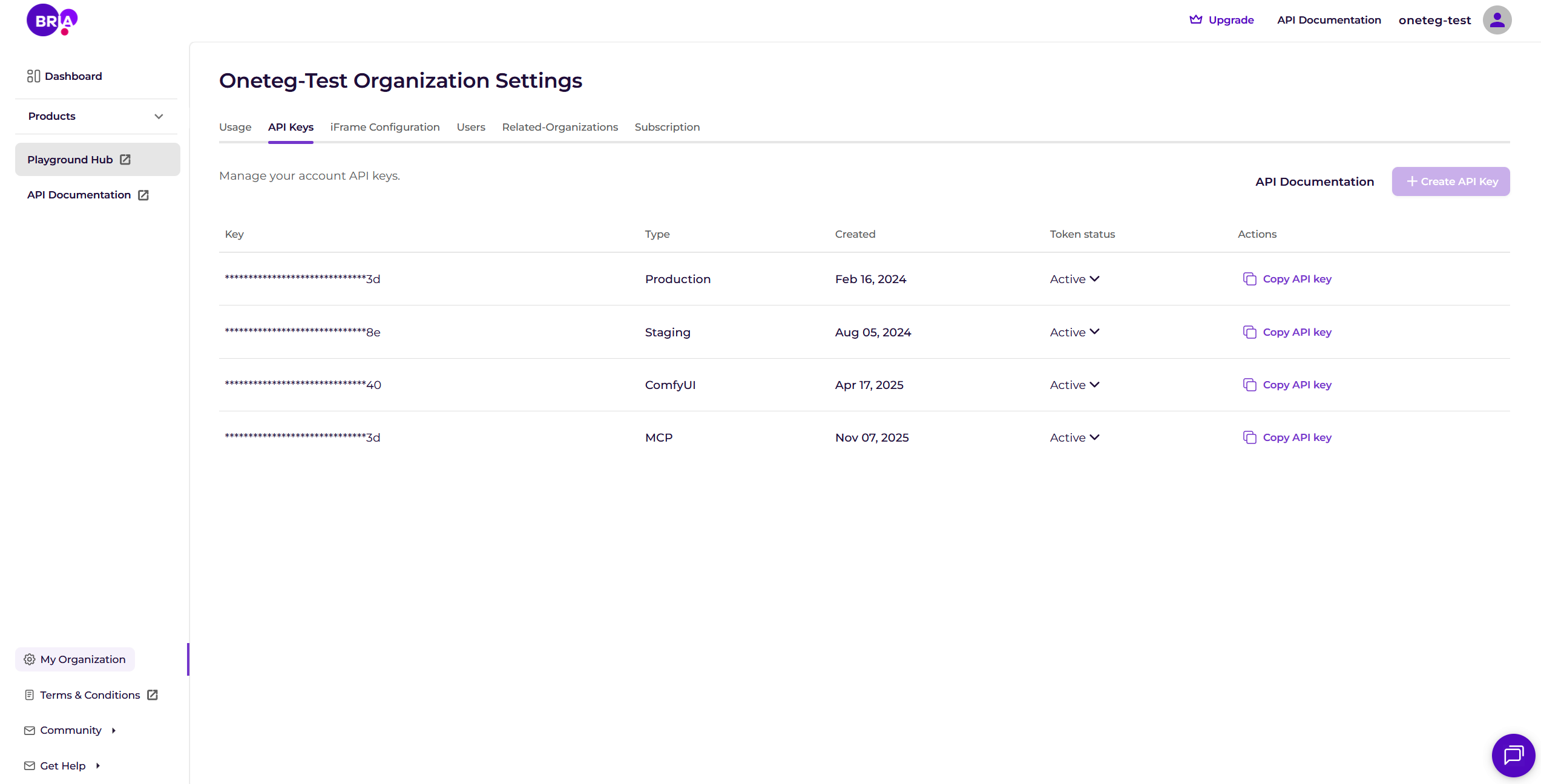
The API token is tied to your Bria organization; every API request is authenticated with it, so treat it like a secret and share it only with trusted integrations.
3. Connection Settings and Configuration for OneTeg
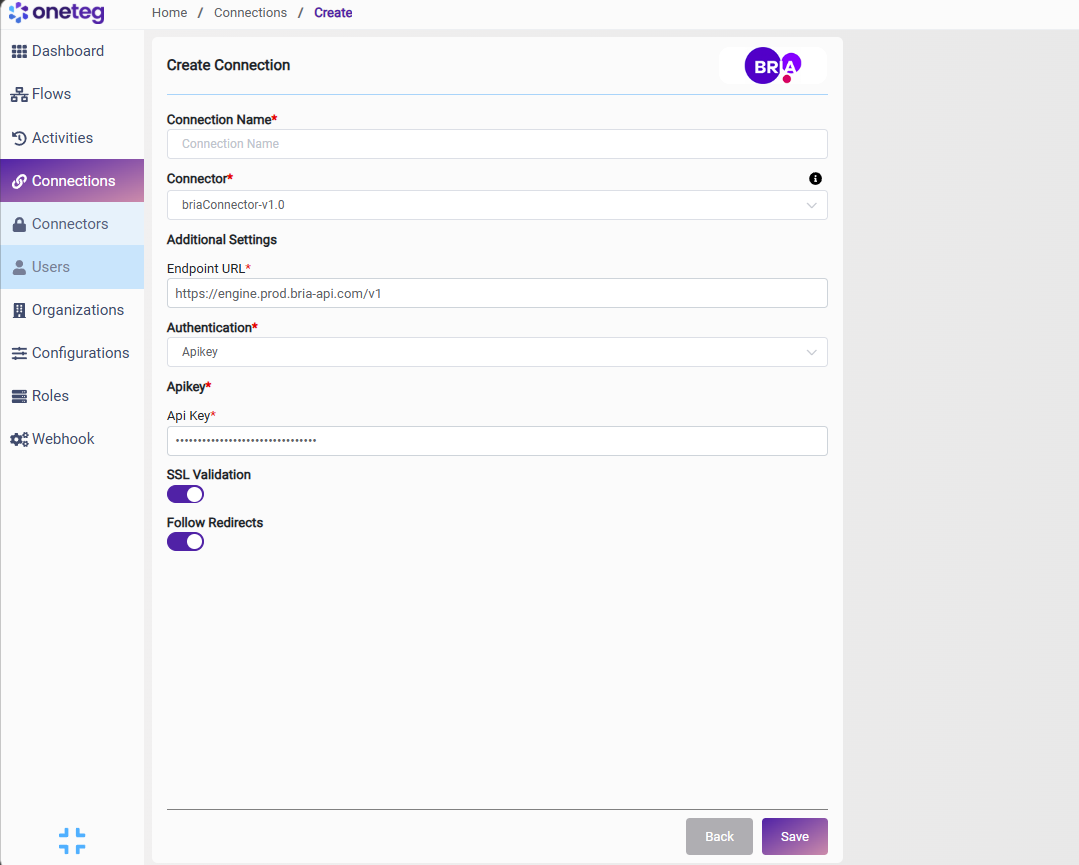
In OneTeg, navigate to Connections and create a new connection using the Bria Connector. Enter the settings below.
|
Settings Parameters |
Value / Sample Value |
Description |
Required (Y/N) |
|
Connection Name |
Bria Connection |
Choose a name for your Connection |
Y |
|
Connector |
briaConnector-v1.0 |
Auto-populated once the Bria Connector is selected |
Y |
|
Endpoint URL |
https://engine.prod.bria-api.com/v1 |
The base URL of the Bria API |
Y |
|
Authentication |
Apikey |
Select Apikey as the authentication method |
Y |
|
Api Key |
Your Bria API token |
The API token from your Bria platform account, sent in the api_token request header to authenticate requests |
Y |
4. Supported Bria Actions and Options
For the full list of supported endpoints, parameters, and options, see the page below: