
1. General Information
Box is a cloud content management and file-sharing platform that organizations use to store, manage, collaborate on, and secure their files and documents. The Box API (Content API, version 2.0) is a RESTful API that provides programmatic access to files, folders, users, collaborations, metadata, and related content in a Box account.
The OneTeg Box Connector integrates with the Box API, enabling users to manage files and folders directly from OneTeg automation workflows. This connector authenticates using OAuth 2.0 with the Authorization Code flow.
Box uses OAuth 2.0. After a one-time browser login, OneTeg receives an access token (valid for about 1 hour) together with a refresh token, which is used to renew access automatically — so the connection keeps working without repeated logins.
If your Box instance has Box Verified Enterprise enabled, use https://ent.box.com/api/oauth2/authorize as the Authorization URL instead of the standard account.box.com host.
2. Connect Box to OneTeg
The OAuth flow uses a Box application registered in the Box Developer Console. Follow the steps below to create the app and obtain the credentials you will enter into OneTeg.
Step 1 - Create a Box App
In the Box Developer Console (app.box.com/developers/console), create a new Platform App and choose the OAuth 2.0 (Standard OAuth 2.0 / User Authentication) authentication method.
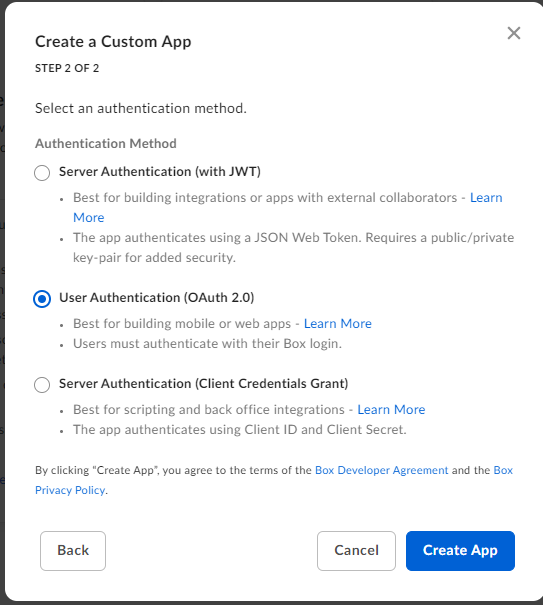
Step 2 - Configure the Redirect URI and Scopes
On the app’s Configuration tab, set the OAuth 2.0 Redirect URI to the OneTeg OAuth callback URL (https://app.oneteg.com/rest/v1/oauth2/callback), and enable the application scopes your integration needs.
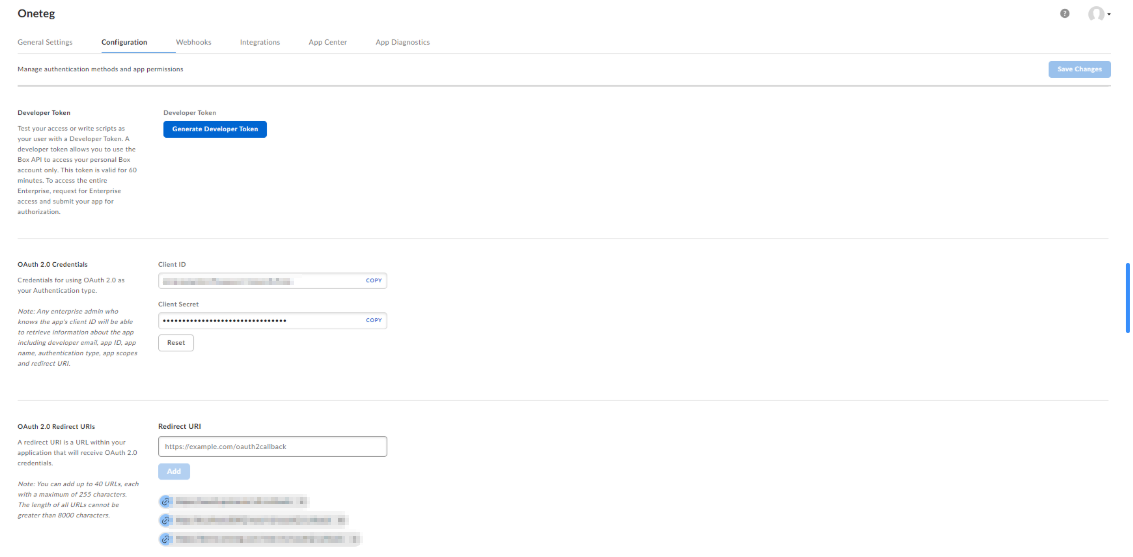
Step 3 - Copy the Client ID and Client Secret
On the same Configuration tab, copy the Client ID and Client Secret. Keep the Client Secret secure — you will paste both into OneTeg in the next step.
3. Connection Settings and Configuration for OneTeg
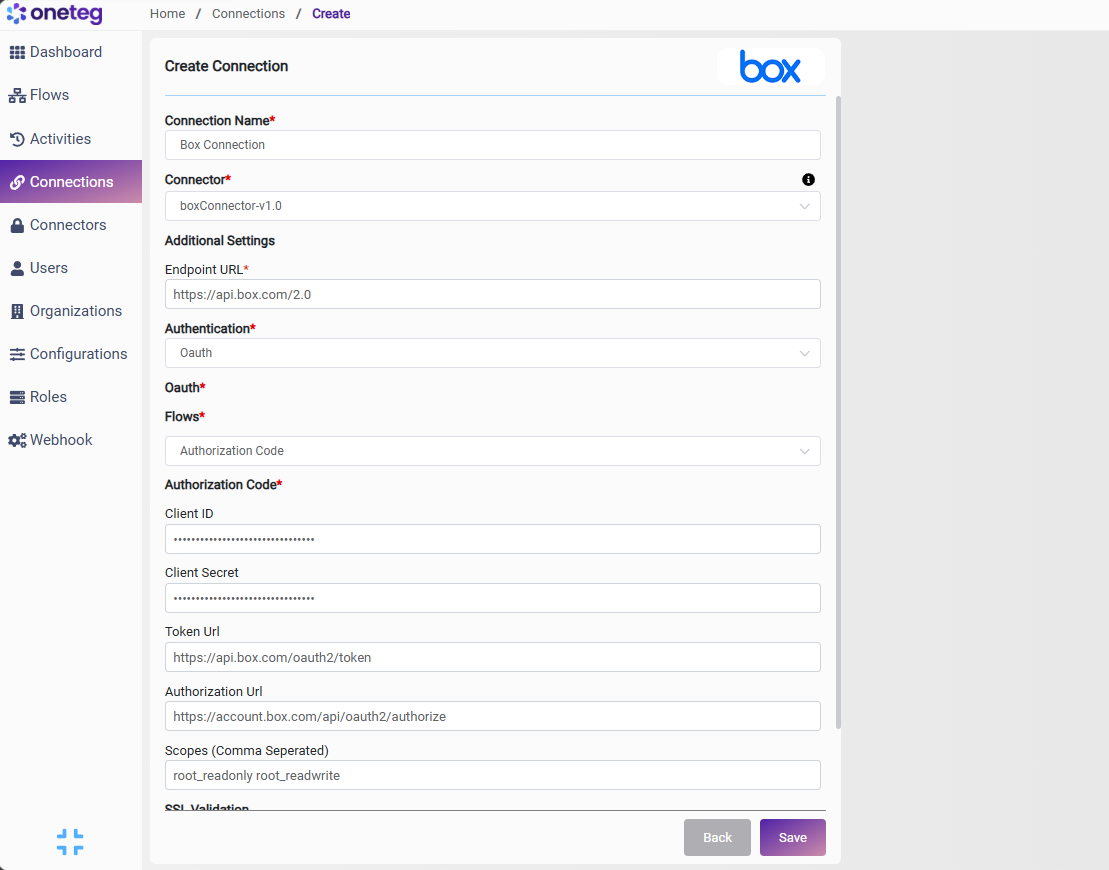
In OneTeg, navigate to Connections and create a new connection using the Box Connector. Enter the settings below.
|
Settings Parameters |
Value / Sample Value |
Description |
Required (Y/N) |
|
Connection Name |
Box Connection |
Choose a name for your Connection |
Y |
|
Connector |
boxConnector-v1.0 |
Auto-populated once the Box Connector is selected |
Y |
|
Endpoint URL |
The base URL of the Box Content API |
Y |
|
|
Authentication |
Oauth |
Select Oauth as the authentication method |
Y |
|
Flows |
Authorization Code |
Select Authorization Code as the OAuth flow |
Y |
|
Client ID |
Your Box app Client ID |
The Client ID from your Box app’s Configuration tab (Developer Console) |
Y |
|
Client Secret |
Your Box app Client Secret |
The Client Secret from your Box app’s Configuration tab |
Y |
|
Token Url |
The Box token endpoint used to obtain and refresh access tokens |
Y |
|
|
Authorization Url |
The Box authorization endpoint where the user grants access |
Y |
|
|
Scopes |
root_readwrite |
Optional. Application scopes to request. If left blank, Box uses the scopes configured on your app |
N |
4. Supported Box Actions and Options
For the full list of supported endpoints, parameters, and options, see the page below: