
1. General Information
Zendesk is a customer service and support platform that helps organizations manage customer interactions across email, chat, phone, and social channels through a unified ticketing system. It provides tools for support agents, self-service help centers, automation, and reporting. Zendesk exposes a comprehensive REST API (v2) that provides programmatic access to tickets, users, organizations, and other support data.
The OneTeg Zendesk Connector integrates with the Zendesk REST API v2, enabling users to create, read, update, and manage tickets and related support data directly from OneTeg automation workflows. This connector authenticates using Basic authentication with your account email address and password.
This connector uses Zendesk's Password access option, which authenticates directly with your account email and password. The endpoint URL is specific to your Zendesk subdomain.
2. Connect Zendesk to OneTeg
The Zendesk Connector authenticates using your account email address and password via Zendesk's Password access option. Follow the steps below to enable it.
Step 1 - Open the Admin Center
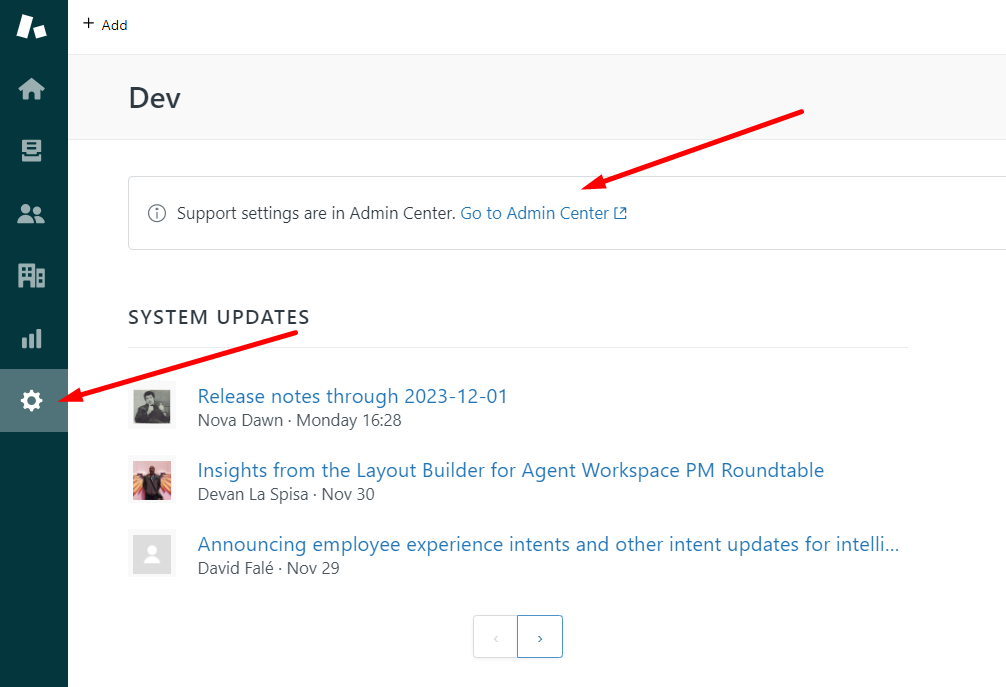
Log in to Zendesk and navigate to the Settings page. Select Go to Admin Center.
Step 2 - Open the Zendesk API Settings
Within the Admin Center, navigate to the Apps and integrations menu and select the Zendesk API option.
Step 3 - Enable Password Access
Activate the Password access option. This allows the Zendesk connection to be established in OneTeg using only your account username (email) and password — no separate API token is required.
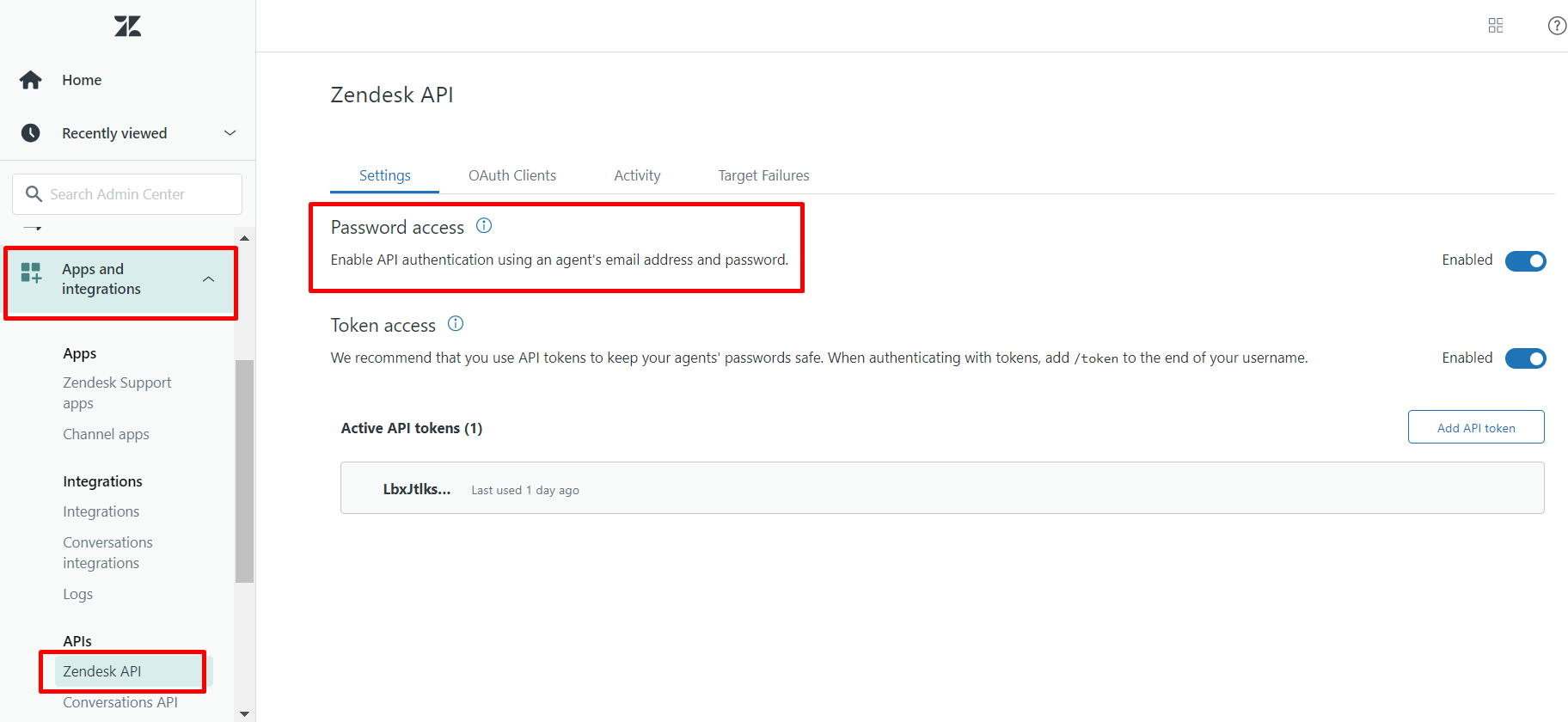
Password access authenticates using your Zendesk account credentials directly. Keep your password confidential, and consider using a dedicated account for the integration rather than a personal admin account.
3. Connection Settings and Configuration for OneTeg
In OneTeg, navigate to Connections and create a new connection using the Zendesk Connector. Fill in the fields below using the API token obtained in Section 2.
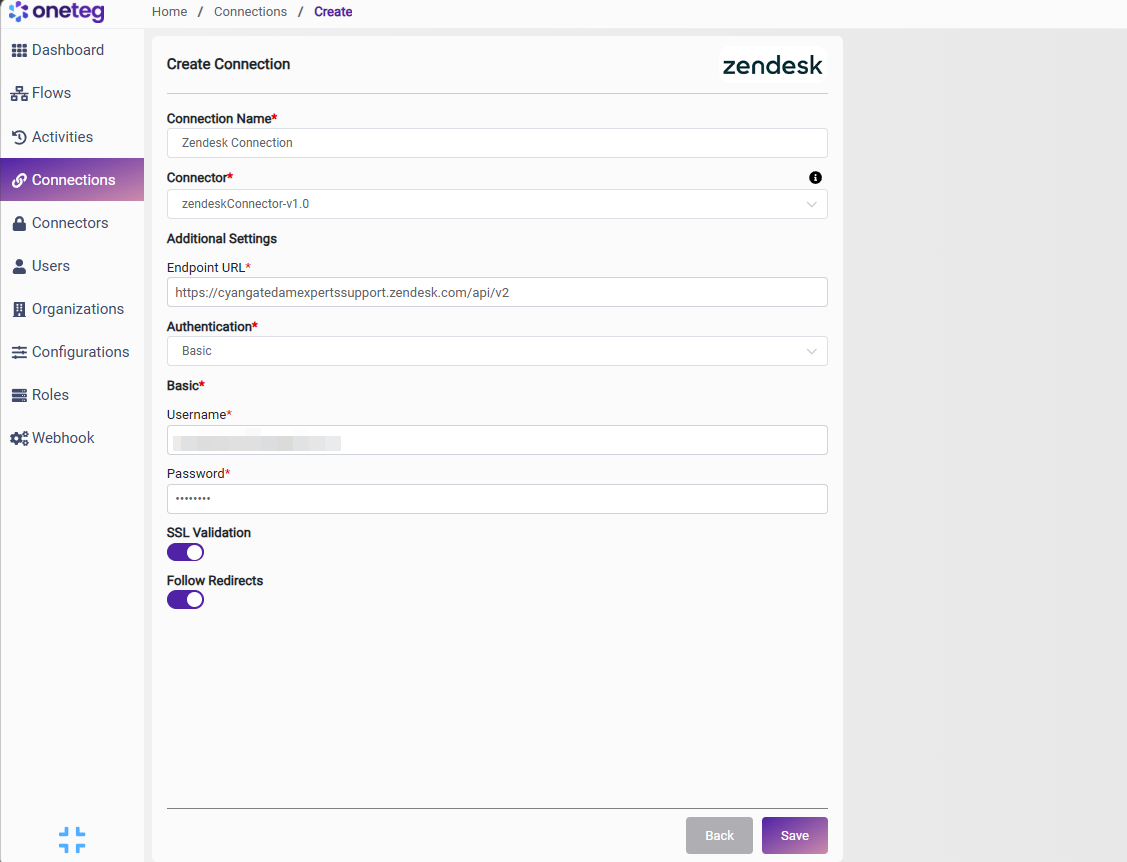
|
Settings Parameters |
Value / Sample Value |
Description |
Required (Y/N) |
|
Connection Name |
Zendesk Connection |
Choose a name for your Connection |
Y |
|
Connector |
zendeskConnector-v1.0 |
Auto-populated once the Zendesk Connector is selected |
Y |
|
Endpoint URL |
https://{your-subdomain}.zendesk.com/api/v2 |
The base URL of your Zendesk account. Replace {your-subdomain} with your own Zendesk subdomain |
Y |
|
Authentication |
Basic |
Select Basic as the authentication method |
Y |
|
Username |
your-email@example.com |
Your Zendesk account email address |
Y |
|
Password |
Your Zendesk account password |
The password for your Zendesk account (used with Password access enabled in Section 2) |
Y |
4. Supported Zendesk Actions and Options
For the full list of supported endpoints, parameters, and options, see the page below: