
1. General Information
4ALLPORTAL is a comprehensive software platform integrating Product Information Management (PIM) and Digital Asset Management (DAM) functionalities, designed to enable enterprises to centralize, systematically organize, and efficiently distribute product data and digital assets across diverse channels. Its RESTful API provides programmatic access to these modules and their objects.
The OneTeg 4ALLPORTAL Connector integrates with the 4ALLPORTAL REST API, enabling users to manage product data and digital assets directly from OneTeg automation workflows. This connector authenticates using a Bearer token — a 4ALLPORTAL API Key.
4ALLPORTAL authenticates with an API Key sent as a Bearer token in the Authorization header. Each API Key is uniquely assigned to a single user, so the connection inherits that user’s permissions — use a user account that has access to the modules and objects you need.
2. Connect 4ALLPORTAL to OneTeg
The connector authenticates with a 4ALLPORTAL API Key. Follow the steps below to obtain the key you will enter into OneTeg.
Step 1 - Sign in to 4ALLPORTAL
Access your 4ALLPORTAL portal with the appropriate credentials for the Digital Asset Management, Product Information Management, Brand Shop, or other designated module.
Step 2 - Open Developer Options
Open the settings menu in the top-right corner and select the developer options button.
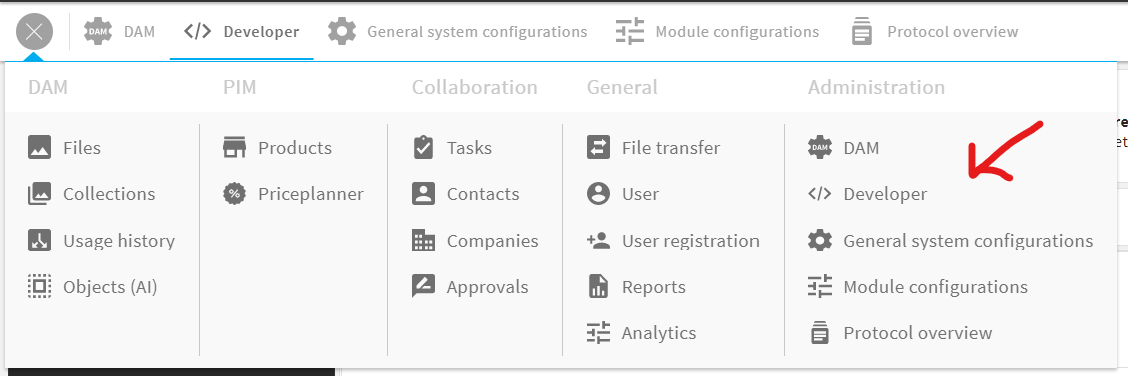
Step 3 - Generate or Copy an API Key
On the developer page, go to the API Key settings to generate a new API Key or review existing ones. Because each API Key is assigned to a single user, copy the key belonging to the user whose permissions the connection should use. Keep the key secure — you will paste it into OneTeg in the next step.
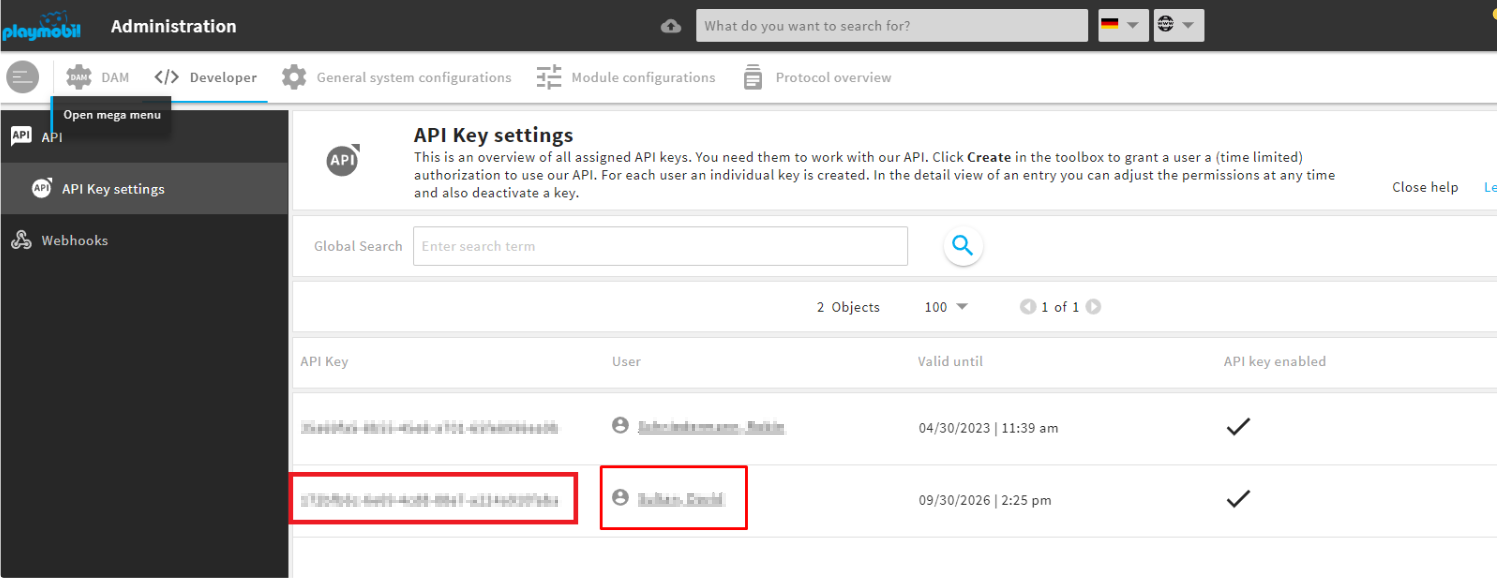
The API Key is a personal, static credential tied to a single user. Treat it like a password and store it securely; the connection can only access what that user is permitted to access.
3. Connection Settings and Configuration for OneTeg
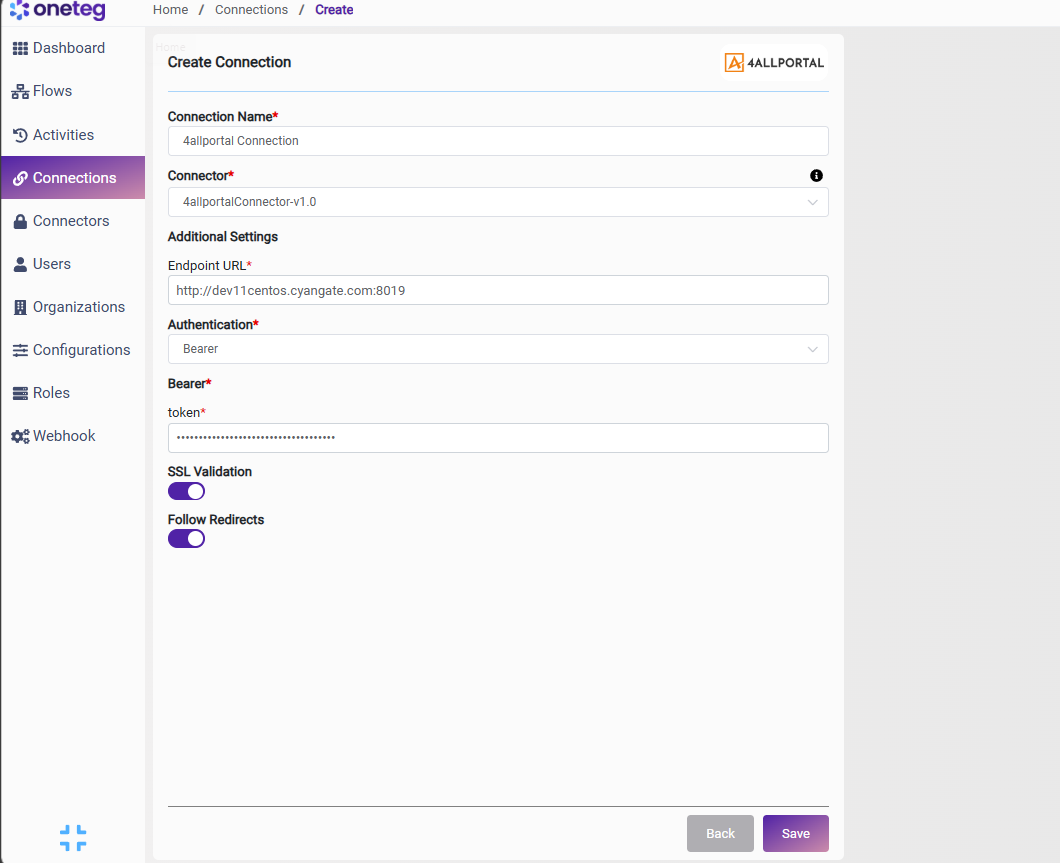
In OneTeg, navigate to Connections and create a new connection using the 4ALLPORTAL Connector. Enter the settings below.
|
Settings Parameters |
Value / Sample Value |
Description |
Required (Y/N) |
|
Connection Name |
4ALLPORTAL Connection |
Choose a name for your Connection |
Y |
|
Connector |
4allportalConnector-v1.0 |
Auto-populated once the 4ALLPORTAL Connector is selected |
Y |
|
Endpoint URL |
https://{your-4allportal-instance} |
The URL of your 4ALLPORTAL instance, used as the base for API requests (the REST API is served under /api) |
Y |
|
Authentication |
Bearer |
Select Bearer as the authentication method |
Y |
|
token |
Your 4ALLPORTAL API Key |
Your 4ALLPORTAL API Key (from developer options → API Key settings), sent as a Bearer token in the Authorization header |
Y |
4. Supported 4ALLPORTAL Actions and Options
For the full list of supported endpoints, parameters, and options, see the page below: