
1. General Information
Canto is a cloud-based Digital Asset Management (DAM) platform that centralizes an organization’s digital content—images, videos, documents, and brand assets—into a single hub, making them easy to store, search, share, and collaborate on. It is widely used by marketing, creative, and product teams to streamline workflows and ensure brand consistency.
2. Connect Canto to OneTeg
To enable the Canto REST API to function with OneTeg, it is necessary to first establish a new API within the Canto environment.
API Key Creation
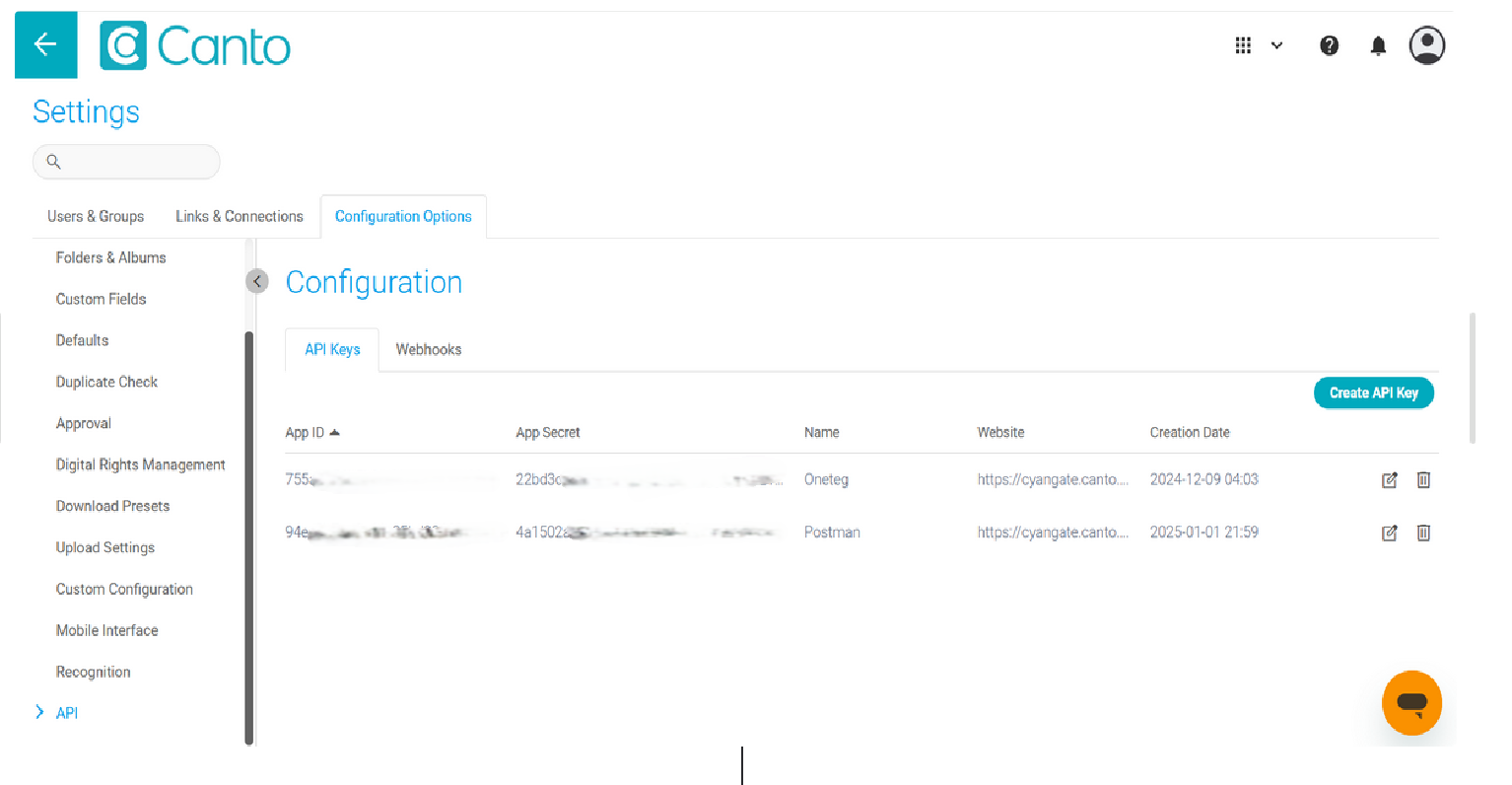
To create an authentication application, navigate to the Configuration Option within the API Settings section on Canto site.
Either generate a new API key by selecting the Create API Key option, or utilize the existing APP ID and APP Secret credentials.
3. Connection Settings and Configuration
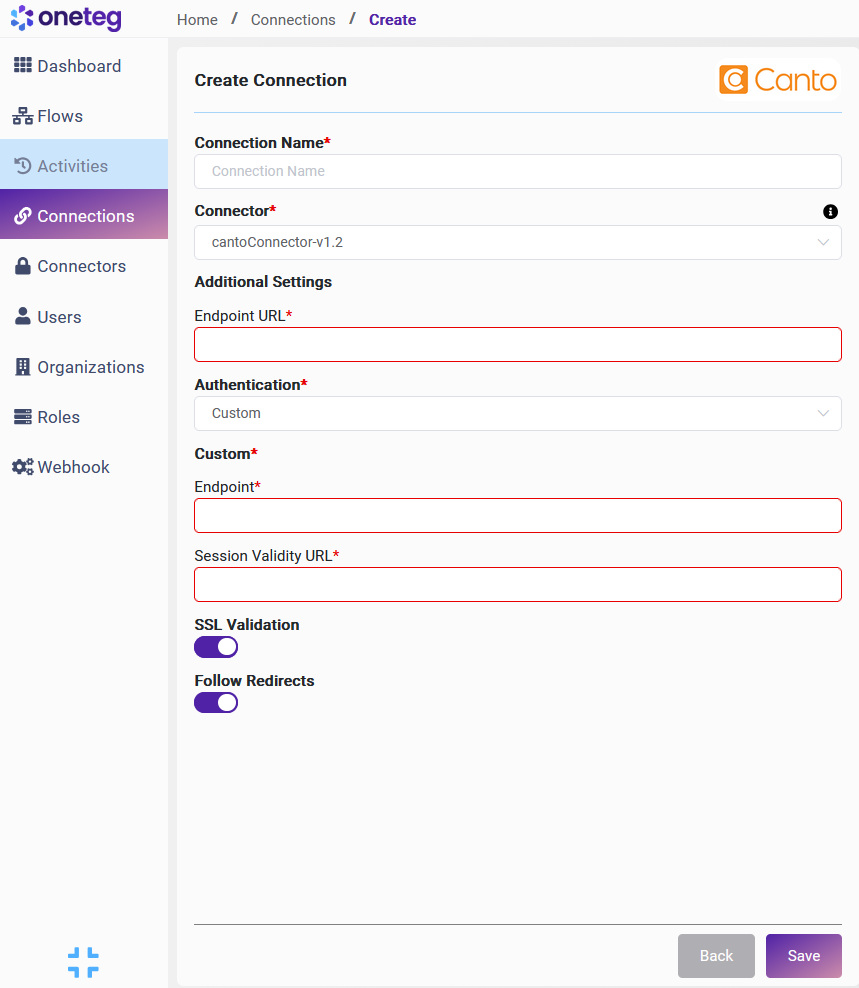
|
Settings Parameters |
Value |
Description |
Required (Y/N) |
|---|---|---|---|
|
Connection Name |
Canto Connection |
Preferred Connection Designation |
Y |
|
Connector |
cantoConnector-v1.2 |
Preferred Connector Designation |
Y |
|
Endpoint URL |
<Canto Sandbox URL> |
Endpoint required for performing CRUD |
Y |
|
Authentication |
Custom |
Type of authentication |
Y |
|
Endpoint |
https://oauth.canto.com/oauth/api/oauth2/token?app_id={app_id}&app_secret={app_secret}&grant_type=client_credentials |
Authentication Endpoint |
Y |
|
Session Validity URL |
https://oauth.canto.com/oauth/api/oauth2/token?app_id={app_id}&app_secret={app_secret}&grant_type=client_credentials |
Authentication Endpoint |
Y |