
1. General Information
Brandfolder (by Smartsheet) is a cloud-based digital asset management (DAM) platform that organizations use to store, organize, share, and distribute brand and marketing assets. Its content is organized into Organizations, Brandfolders, Sections, Assets, Attachments, Collections, Tags, and Custom Fields. The Brandfolder API (V4) is a RESTful JSON API that provides programmatic access to these same resources.
The OneTeg Brandfolder Connector integrates with the Brandfolder API, enabling users to manage digital assets and metadata directly from OneTeg automation workflows. This connector authenticates using a Bearer token — a personal Brandfolder API key.
Brandfolder authenticates with your personal API key sent as a Bearer token in the Authorization header. API calls return only the resources the key’s owning user is permitted to access, so use an account that has access to the Brandfolders and Collections you need.
The Brandfolder API key is a long-lived personal credential (it does not expire like a short-lived OAuth token). Treat it like a password and store it securely. Generating a new key from your profile replaces the previous one, so any integration using the old key will stop working.
2. Connect Brandfolder to OneTeg
The connector authenticates with a personal Brandfolder API key. Follow the steps below to obtain the key you will enter into OneTeg.
Step 1 - Sign in to Brandfolder
Sign in to your Brandfolder account at https://brandfolder.com .
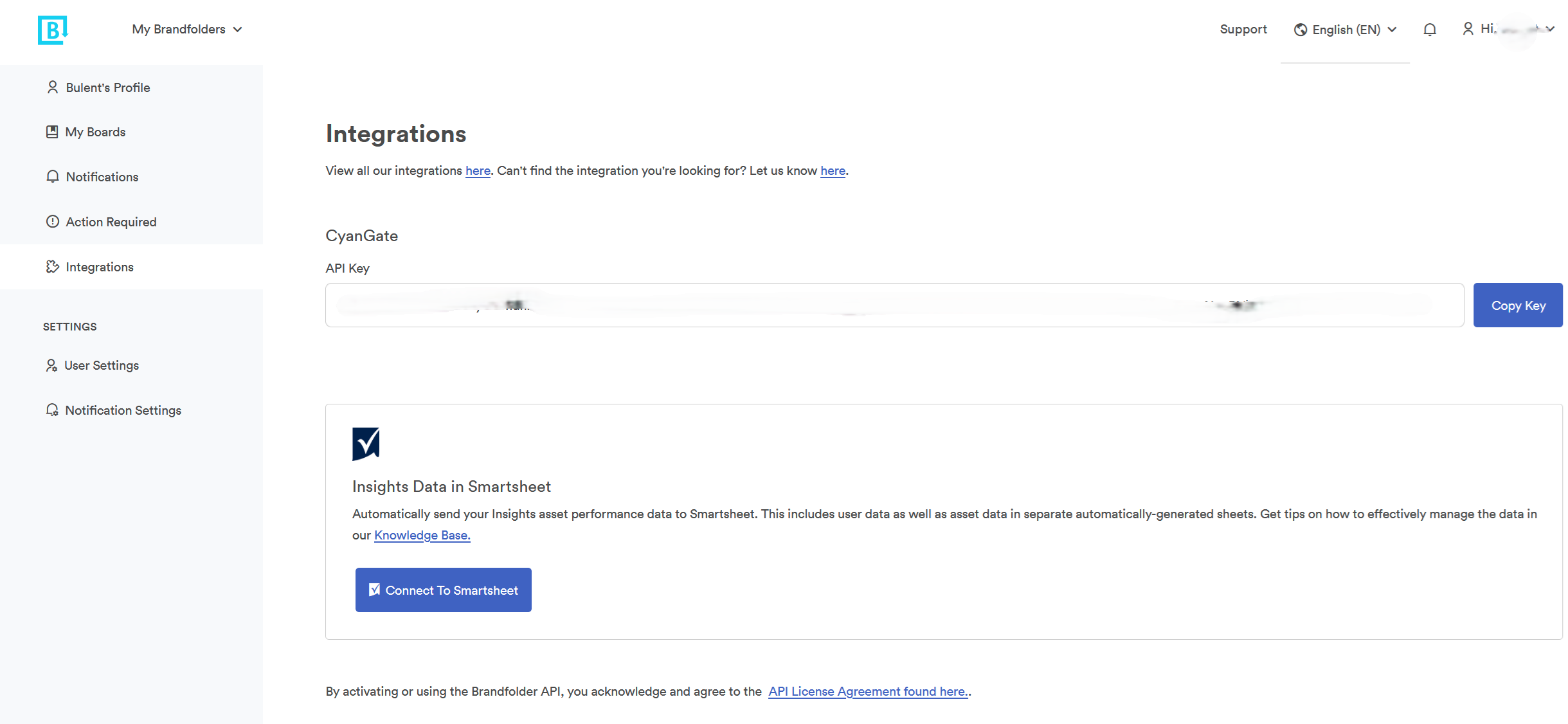
Step 2 - Open Your Profile Integrations
Click your profile picture in the top-right corner, select Profile, and scroll to the Integrations section. You can also go there directly at https://brandfolder.com/profile#integrations.
Step 3 - Generate and Copy Your API Key
In the Integrations section, click Generate API Key (if you do not already have one), then copy the key. Keep it secure — you will paste it into OneTeg in the next step.
3. Connection Settings and Configuration for OneTeg
In OneTeg, navigate to Connections and create a new connection using the Brandfolder Connector. Enter the settings below.
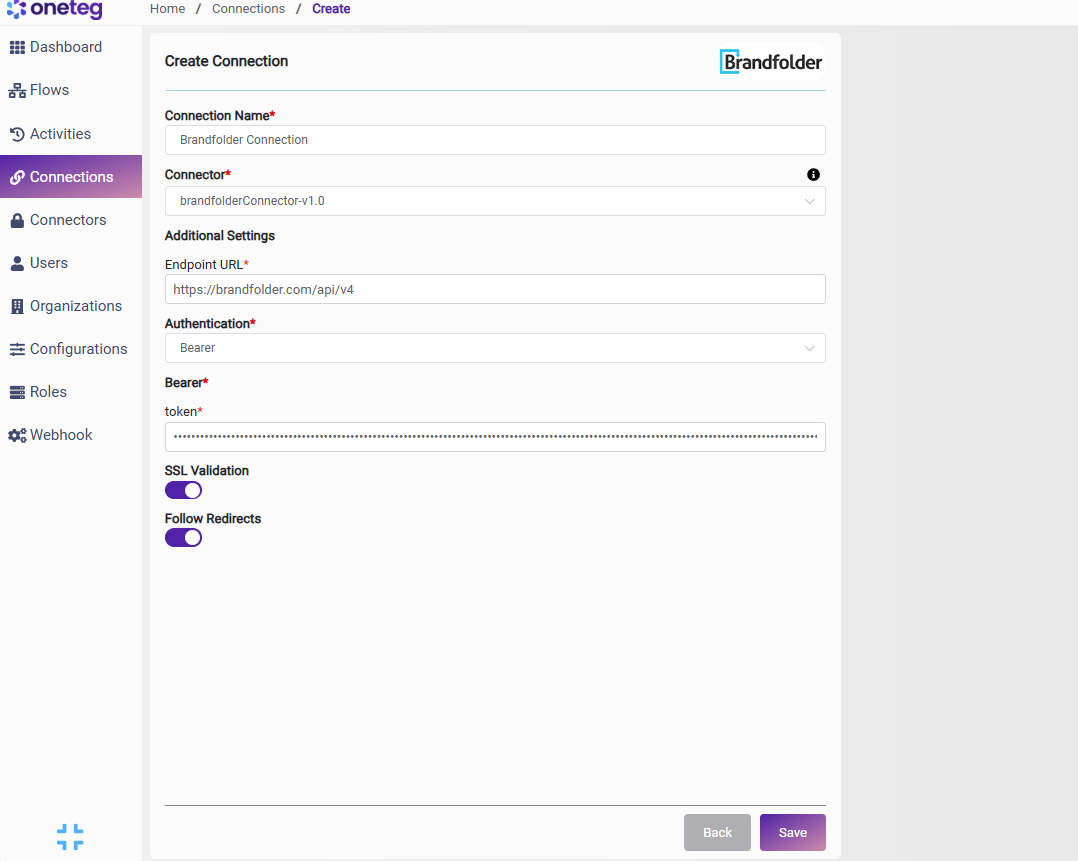
|
Settings Parameters |
Value / Sample Value |
Description |
Required (Y/N) |
|
Connection Name |
Brandfolder Connection |
Choose a name for your Connection |
Y |
|
Connector |
brandfolderConnector-v1.0 |
Auto-populated once the Brandfolder Connector is selected |
Y |
|
Endpoint URL |
https://brandfolder.com/api/v4 |
The base URL of the Brandfolder API (V4) |
Y |
|
Authentication |
Bearer |
Select Bearer as the authentication method |
Y |
|
token |
Your Brandfolder API key |
Your personal Brandfolder API key, sent as a Bearer token in the Authorization header. Found in your Brandfolder profile under Integrations |
Y |
4. Supported Brandfolder Actions and Options
For the full list of supported endpoints, parameters, and options, see the page below: