
1. General Information
X (formerly Twitter) is a global social media and real-time communication platform that enables individuals, brands, and organizations to publish short-form content (posts), engage in public conversations, and interact with audiences at scale. The OneTeg X Connector integrates with the X API v1.1 and allows users to build automated workflows for publishing posts, retrieving timelines, managing media uploads, searching content, and interacting with users.
2. Connect X to OneTeg
The X Connector authenticates via OAuth 2.0 Authorization Code flow. To configure it, you first need to create an app in the X Developer Portal and obtain a Client ID and Client Secret.
Step 1 - Create an App in the X Developer Portal
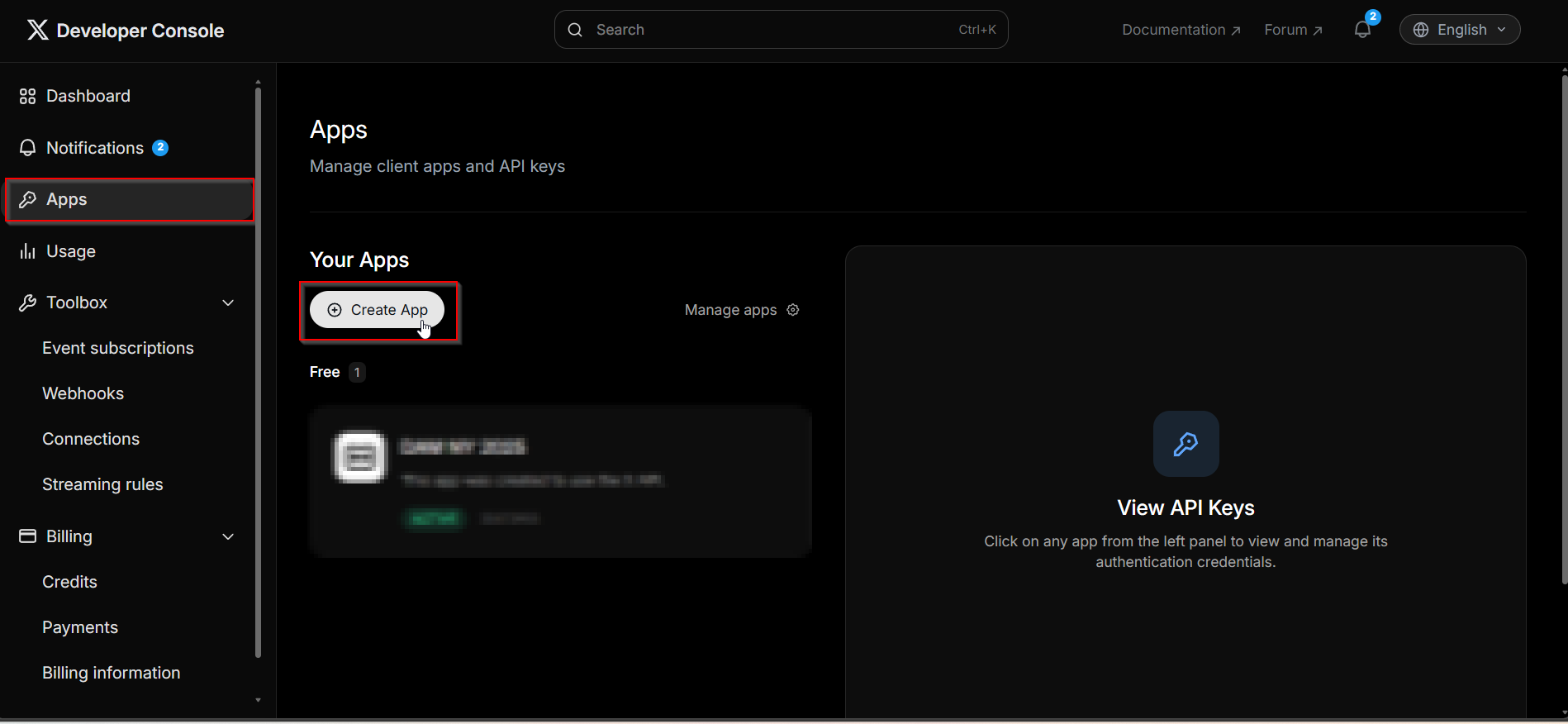
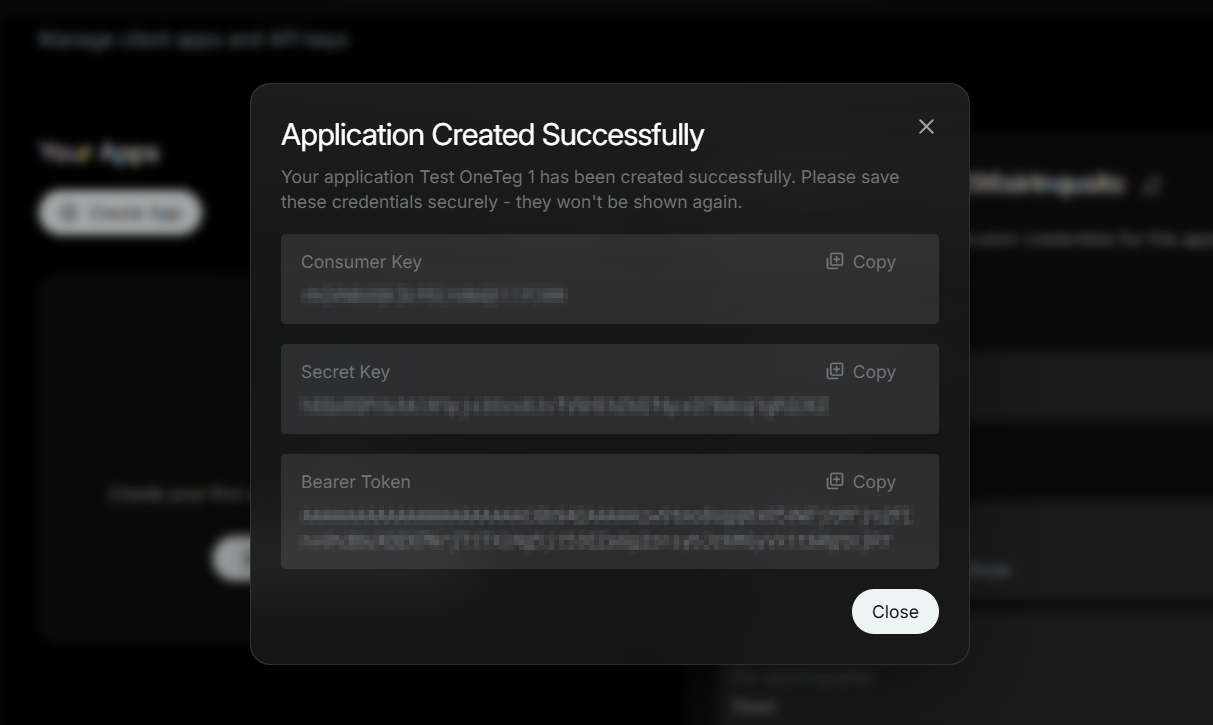
Go to http://developer.twitter.com and sign in with your X account. Navigate to the Developer Portal and click Apps → Create App. Provide an app name and complete the creation flow.
Step 2 - Set Up OAuth 2.0
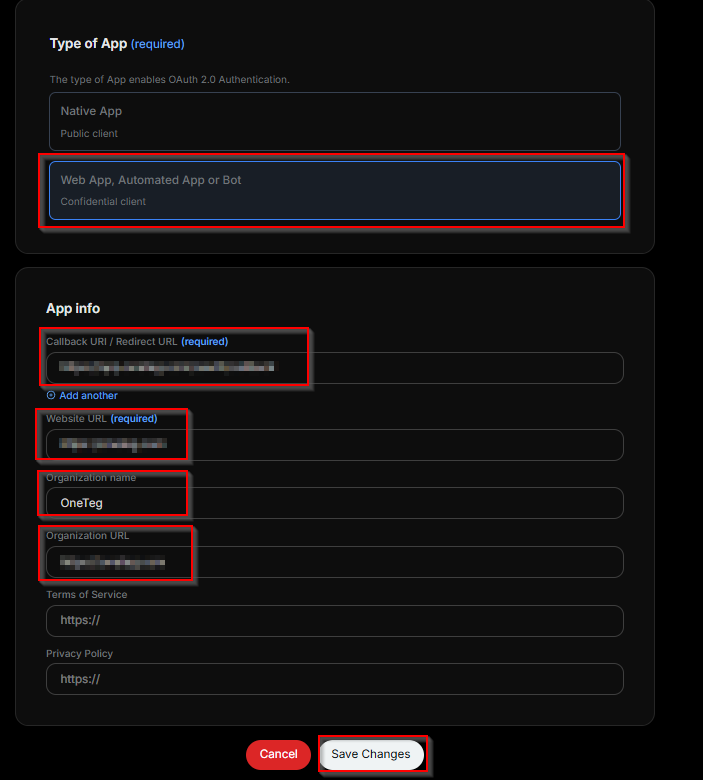
Inside your app, navigate to the Settings tab and scroll to User Authentication Settings. Click Set Up and enable OAuth 2.0. Set the App Type to Web App, and enter your callback/redirect URI. Click Save.
Step 3 - Obtain Client ID and Client Secret
After saving the OAuth 2.0 settings, the Developer Portal will display your OAuth 2.0 Client ID and Client Secret. Copy both values immediately. The Client Secret will not be shown again after you leave this screen.
Step 4 - Set App Permissions
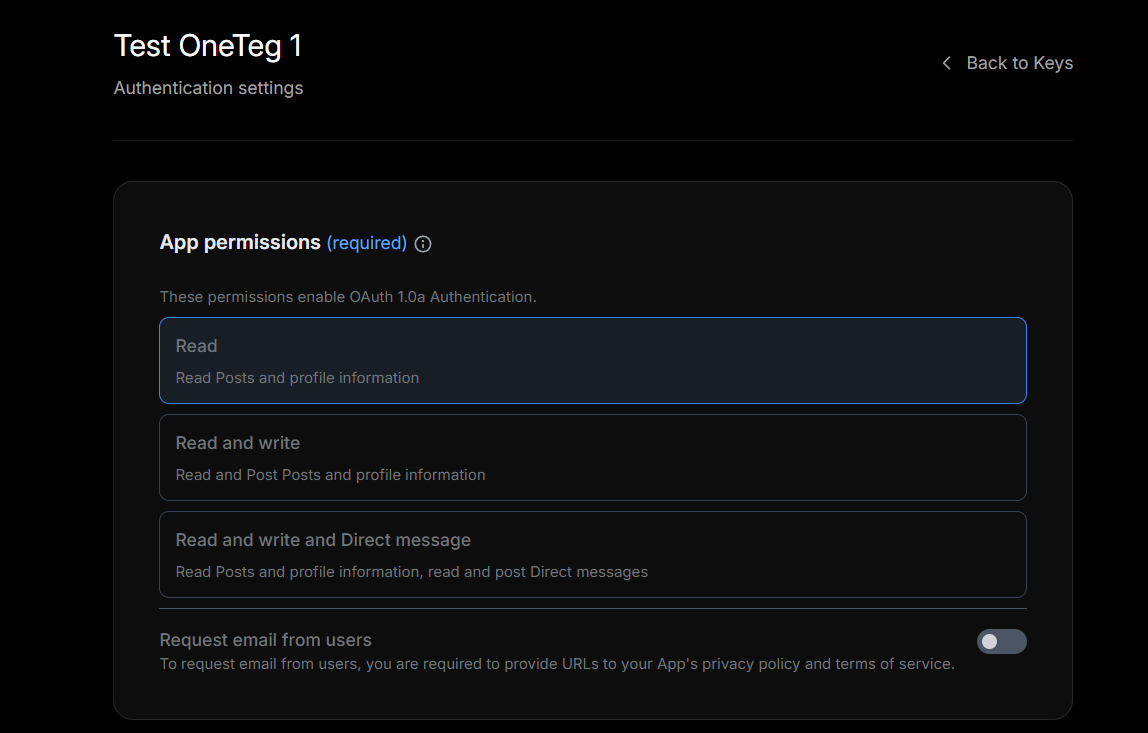
In the app Settings tab, locate the App Permissions section. Select the level of access your integration requires — Read, Read and Write, or Read and Write and Direct Messages. Save your changes. Note that changing permissions after initial setup may require re-generating your tokens.
3. Connection Settings and Configuration for OneTeg
In OneTeg, navigate to Connections and create a new connection using the X Connector. The connector supports two authentication methods: OAuth (Authorization Code) and Bearer Token. Choose the one that best fits your use case.
Option 1 — OAuth Authentication
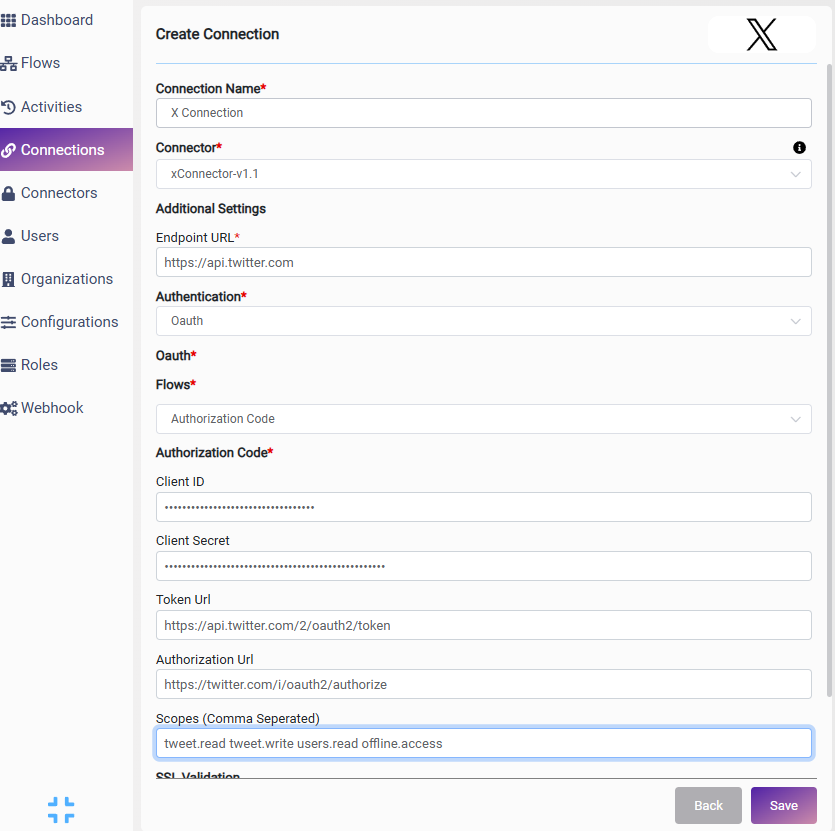
|
Settings Parameters |
Value / Sample Value |
Description |
Required (Y/N) |
|
Connection Name |
X Connection |
Choose a name for your Connection |
Y |
|
Connector |
xConnector-v1.1 |
Auto-populated once the X Connector is selected |
Y |
|
Endpoint URL |
Base URL of the X API. This value is fixed and does not change |
Y |
|
|
Authentication |
OAuth |
Authentication method — select OAuth from the dropdown |
Y |
|
Flows |
Authorization Code |
OAuth grant type — select Authorization Code for user-delegated access |
Y |
|
Client ID |
OAuth 2.0 Client ID |
Obtained from X Developer Portal: your app → Settings → User Authentication Settings → OAuth 2.0 Client ID |
Y |
|
Client Secret |
OAuth 2.0 Client Secret |
Obtained from X Developer Portal: your app → Settings → User Authentication Settings → OAuth 2.0 Client Secret. Copy immediately after setup — it will not be shown again |
Y |
|
Token URL |
Fixed X API endpoint used to exchange authorization codes for access tokens. This value is standard and does not change |
Y |
|
|
Authorization URL |
Fixed X API endpoint that presents the OAuth consent screen to users. This value is standard and does not change |
Y |
|
|
Scopes |
tweet.read tweet.write users.read offline.access |
Space-separated list of X API permission scopes. Adjust based on the actions your flow requires. offline.access is required to obtain refresh tokens |
Y |
Option 2 — Bearer Token Authentication
|
Settings Parameters |
Value / Sample Value |
Description |
Required (Y/N) |
|
Connection Name |
X Connection |
Choose a name for your Connection |
Y |
|
Connector |
xConnector-v1.1 |
Auto-populated once the X Connector is selected |
Y |
|
Endpoint URL |
Base URL of the X API. This value is fixed and does not change |
Y |
|
|
Authentication |
Bearer |
Select Bearer from the dropdown |
Y |
|
token |
Bearer Token |
Obtained from X Developer Portal: your app → Keys and Tokens → Bearer Token. This is a static app-level token that does not expire |
Y |
4. Supported X (Twitter) Actions and Options
For the full list of supported endpoints, parameters, and options, see the page below: