
1. General Information
Vimeo is a professional video hosting, sharing, and streaming platform used by creative teams, enterprises, and media organizations worldwide. It provides tools for uploading, managing, organizing, and distributing video content, along with advanced privacy controls, analytics, and customizable players. The OneTeg Vimeo Connector integrates with the Vimeo API and enables users to build automated workflows for managing videos, folders, showcases, and user data, streamlining video operations between Vimeo and other systems connected through OneTeg.
2. Connect Vimeo to OneTeg
The Vimeo Connector authenticates via OAuth 2.0 Authorization Code flow. To configure it, you first need to create an app in the Vimeo Developer Portal and obtain a Client ID and Client Secret. Follow the steps below.
Step 1 — Create an App in the Vimeo Developer Portal
Go to http://developer.vimeo.com and sign in with your Vimeo account. Navigate to My Apps and click Create App. Fill in the app name, description, and your app URL, then click Create App to complete the registration.
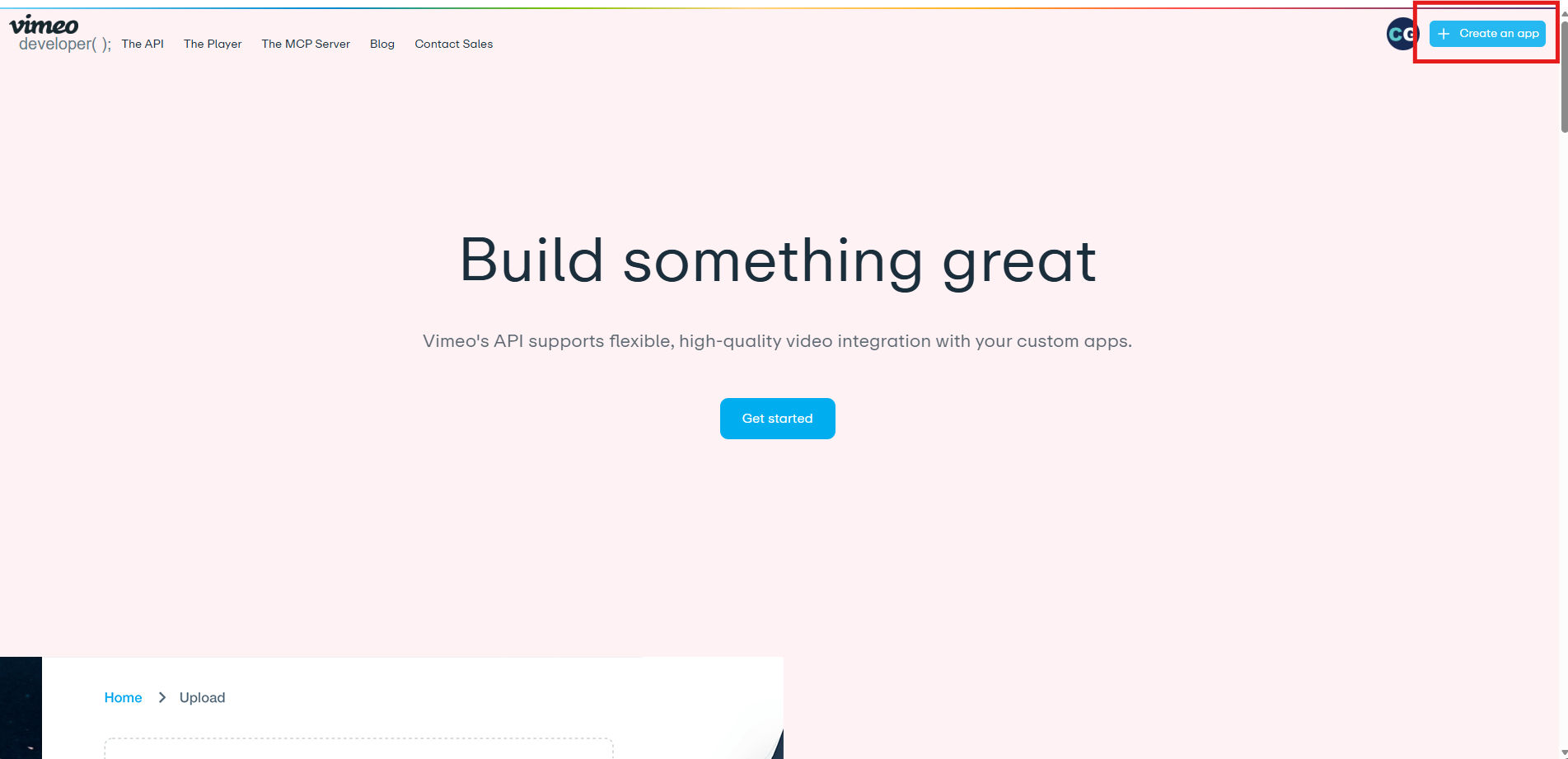
Step 2 — Obtain Client ID and Client Secret
Once the app is created, you will be taken to your app's settings page. Under the Authentication tab, you will find your Client ID and Client Secret. Copy both values. You will need them when configuring the connector in OneTeg.
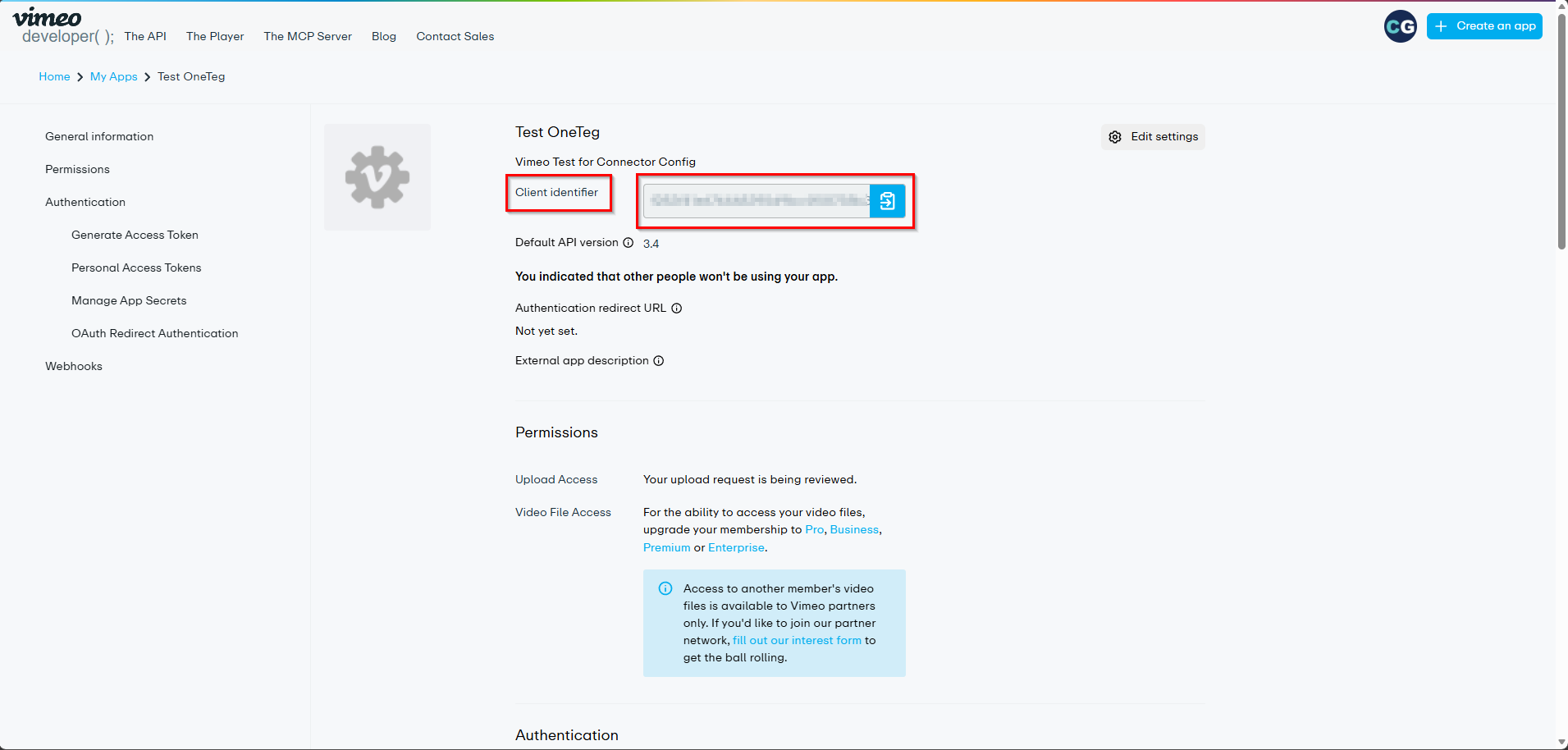
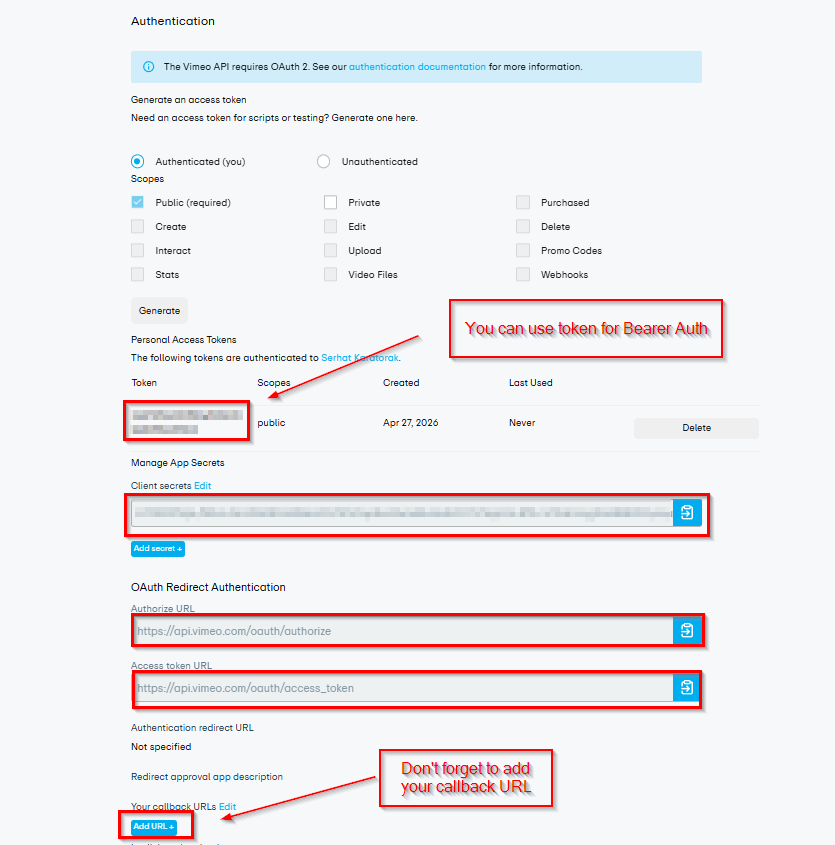
Step 3 — Configure Redirect URIs
Still on the Authentication tab, locate the Redirect URIs field. Add the OneTeg OAuth callback URL as an allowed redirect URI. This is required for the Authorization Code flow to work. Vimeo will redirect users back to this URL after they authorize the app. Contact your OneTeg administrator if you are unsure of the correct callback URL.
Step 4 — Set App Permissions (Scopes)
On the same Authentication tab, scroll to the Scopes section and select the permissions your integration requires. At minimum, select public and private for video access, video_files for download/streaming access, and upload if your flows will upload videos. Click Save Changes when done.
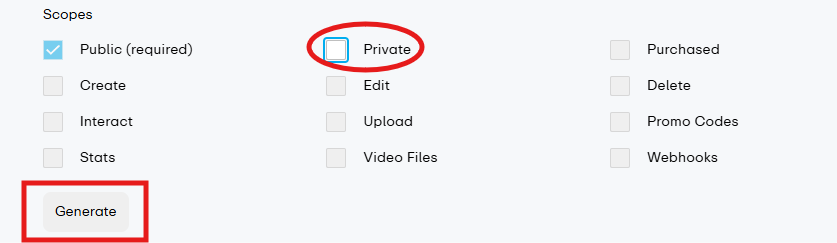
|
ℹ️ Vimeo may require you to request additional API access (such as upload or video_files) through an upgrade request if your account is on a Basic plan. Ensure your Vimeo plan supports the API features your flows require before configuring the connector. |
3. Connection Settings and Configuration for OneTeg
In OneTeg, navigate to Connections and create a new connection using the Vimeo Connector. The connector supports two authentication methods: OAuth (Authorization Code) and Bearer Token. Choose the one that best fits your use case.
Option 1 — OAuth Authentication (Authorization Code)
This is the recommended method for most integrations. It authenticates on behalf of a specific Vimeo user, allowing the connector to perform user-level actions such as uploading videos, managing folders, editing video metadata, and accessing private content.
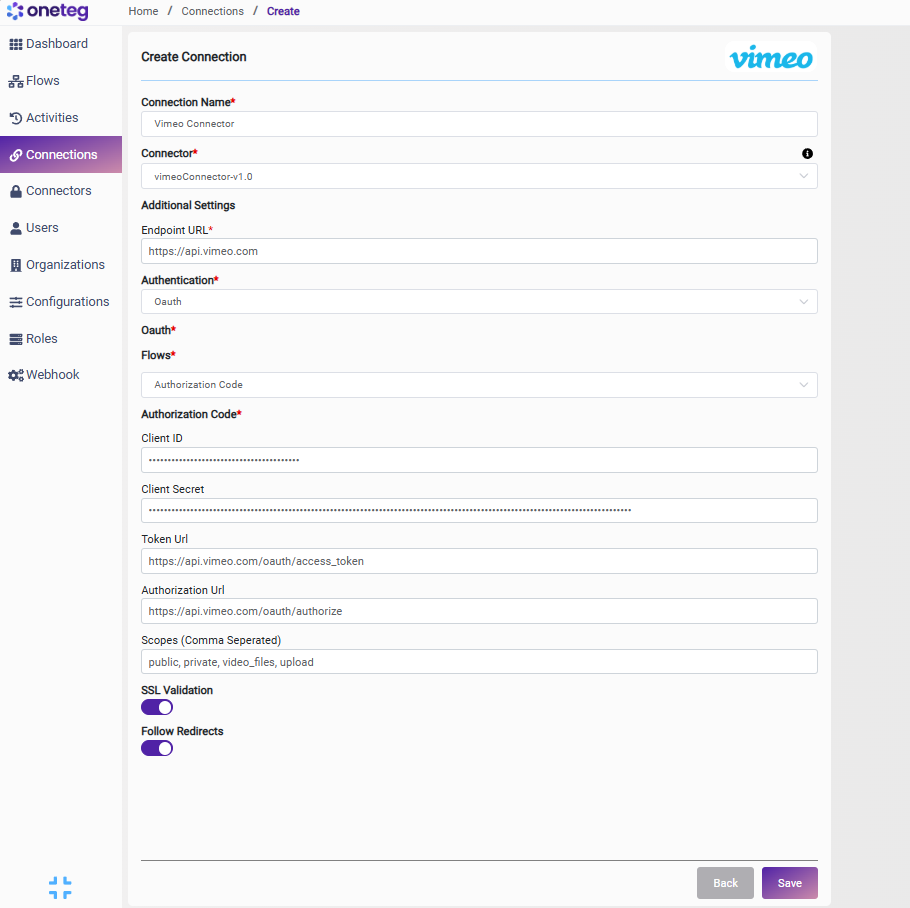
|
Settings Parameters |
Value / Sample Value |
Description |
Required (Y/N) |
|
Connection Name |
Vimeo Connection |
Choose a name for your Connection |
Y |
|
Connector |
vimeoConnector-v1.0 |
Auto-populated once the Vimeo Connector is selected |
Y |
|
Endpoint URL |
Base URL of the Vimeo API. This value is fixed and does not change |
Y |
|
|
Authentication |
OAuth |
Select OAuth from the dropdown |
Y |
|
Flows |
Authorization Code |
Select Authorization Code as the OAuth grant type |
Y |
|
Client ID |
Vimeo App Client ID |
Obtained from Vimeo Developer Portal: My Apps → your app → Authentication tab → Client ID |
Y |
|
Client Secret |
Vimeo App Client Secret |
Obtained from Vimeo Developer Portal: My Apps → your app → Authentication tab → Client Secret |
Y |
|
Token URL |
Fixed Vimeo API endpoint used to exchange authorization codes for access tokens. This value is standard and does not change |
Y |
|
|
Authorization URL |
Fixed Vimeo API endpoint that presents the OAuth consent screen to users. This value is standard and does not change |
Y |
|
|
Scopes |
public private video_files upload |
Space-separated list of Vimeo API permission scopes. Adjust based on the actions your flow requires. upload is required for video upload workflows |
Y |
Option 2 — Bearer Token Authentication
Use this method if you have a pre-generated personal access token from the Vimeo Developer Portal, or if your organization manages token issuance externally. Personal access tokens on Vimeo do not expire by default, making this a simpler option for stable, long-running integrations where user-delegated authorization is not required.
|
Settings Parameters |
Value / Sample Value |
Description |
Required (Y/N) |
|
Connection Name |
Vimeo Connection |
Choose a name for your Connection |
Y |
|
Connector |
vimeoConnector-v1.0 |
Auto-populated once the Vimeo Connector is selected |
Y |
|
Endpoint URL |
Base URL of the Vimeo API. This value is fixed and does not change |
Y |
|
|
Authentication |
Bearer |
Select Bearer from the dropdown |
Y |
|
Token |
Personal Access Token |
A personal access token generated in Vimeo Developer Portal: My Apps → your app → Authentication tab → Generate a personal access token. Select the required scopes when generating the token |
Y |
4. Supported Vimeo Actions and Options
For the full list of supported endpoints, parameters, and options, see the page below: