
1. General Information
Pimcore is an open-source platform for Product Information Management (PIM), Master Data Management (MDM), Digital Asset Management (DAM), and digital commerce. It provides a flexible and extensible foundation for managing product data, digital assets, and content across channels. Pimcore can be deployed on-premise or in the cloud and is widely used by enterprises requiring full control over their data architecture.
The OneTeg PimCore Connector integrates with the Pimcore Datahub API and enables users to build automated workflows for querying and managing product data, assets, and objects directly from the OneTeg flow builder.
The PimCore Connector uses the Pimcore Datahub module for API access. The API Key is generated through the Datahub configuration — not through the standard Pimcore user settings. A Datahub configuration must be created and configured before the connector can be used.
2. Connect PimCore to OneTeg
The PimCore Connector authenticates using an API Key generated through the Pimcore Datahub module. Follow the steps below to create a Datahub configuration and generate the API Key.
Step 1 - Generate an API Key via Datahub
Log in to your Pimcore admin panel. In the left sidebar, click the Datahub icon (the star/sparkle icon below the Settings gear icon). Click Add Configuration, enter a Unique Identifier (e.g., "oneteg") and click OK. Inside the created configuration, go to the Security Definition tab, set the Method to API Key, and click the lightning bolt icon to generate a new API Key. Copy the generated key and store it securely — this is the value you will enter in the API Key field in OneTeg.
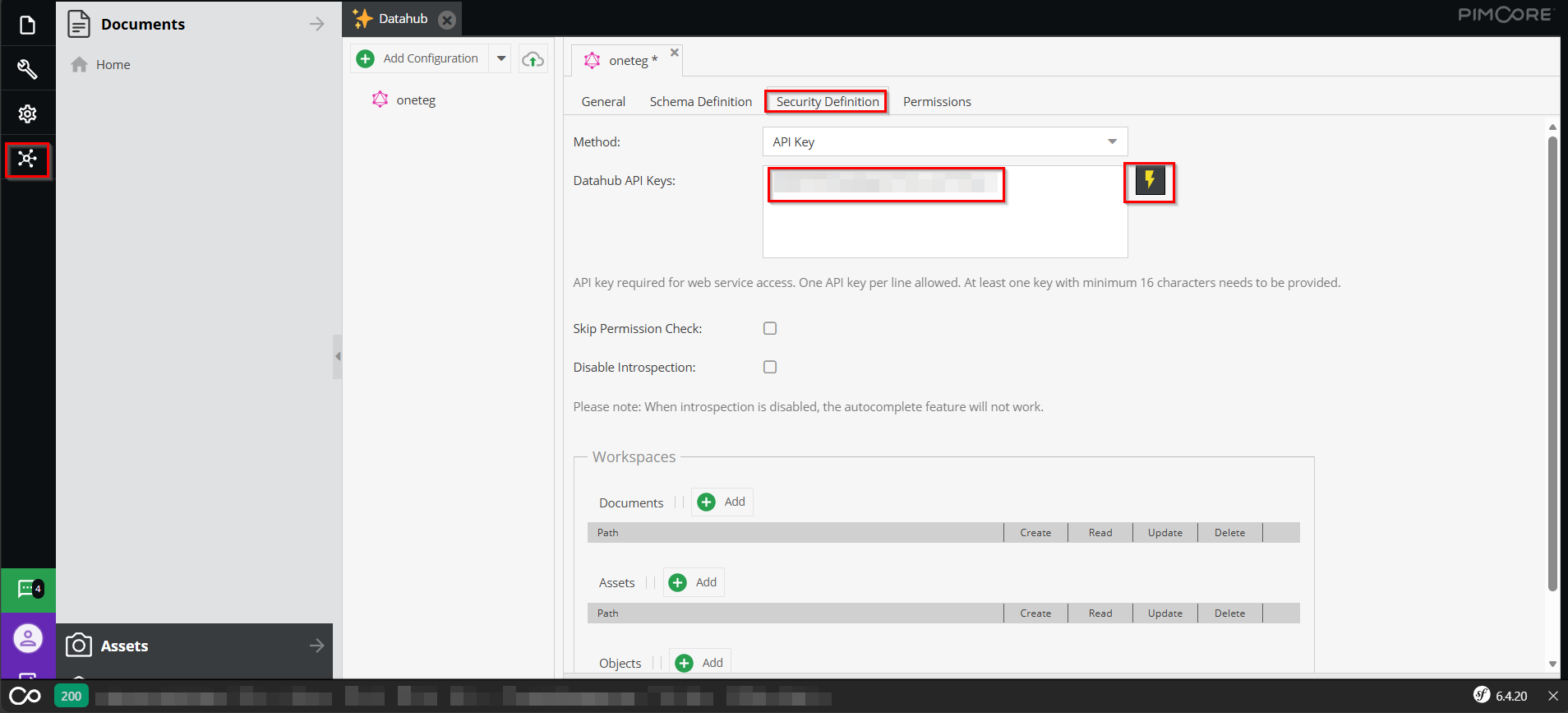
The Unique Identifier you set in Step 2 is part of the Endpoint URL. The Datahub GraphQL endpoint follows the pattern: https://your-pimcore-instance.com/pimcore-datahub-webservices/graphql/{unique-identifier}. Replace your-pimcore-instance.com with your actual Pimcore server URL and {unique-identifier} with the name you entered.
3. Connection Settings and Configuration for OneTeg
In OneTeg, navigate to Connections and create a new connection using the PimCore Connector. Fill in the settings below using the API Key generated from the Pimcore Datahub configuration.
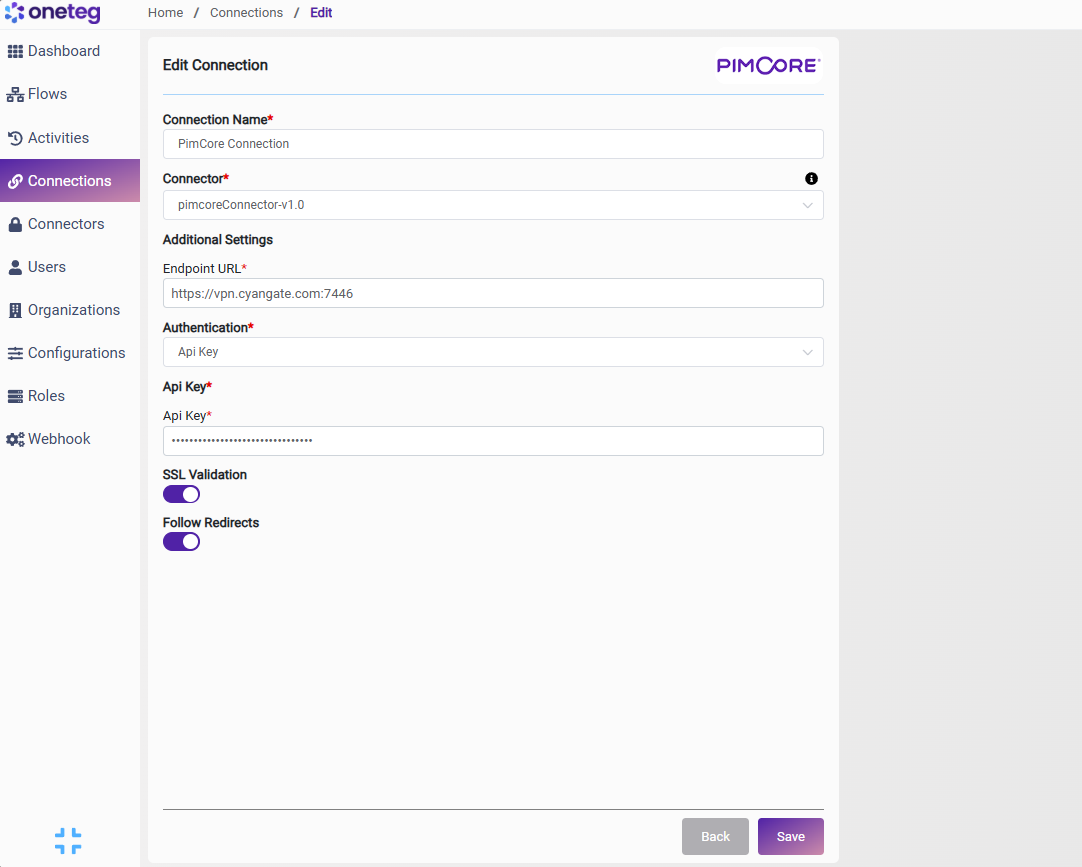
|
Settings Parameters |
Value / Sample Value |
Description |
Required (Y/N) |
|
Connection Name |
PimCore Connection |
Choose a name for your Connection |
Y |
|
Connector |
pimcoreConnector-v1.0 |
Auto-populated once the PimCore Connector is selected |
Y |
|
Endpoint URL |
https://your-pimcore-instance.com/pimcore-datahub-webservices/graphql/{unique-identifier} |
Your Pimcore Datahub GraphQL endpoint. Replace your-pimcore-instance.com with your server URL and {unique-identifier} with the configuration name |
Y |
|
Authentication |
Api Key |
Select Api Key from the dropdown |
Y |
|
Api Key |
Pimcore Datahub API Key |
Generated from Pimcore Admin: Datahub icon → your configuration → Security Definition tab → API Key method → lightning bolt icon. Must be at least 16 characters |
Y |
4. Supported PimCore Actions and Options
For the full list of supported endpoints, parameters, and options, see the page below: