
1. General Information
MediaValet is a cloud-based Digital Asset Management (DAM) platform designed for enterprise teams managing large volumes of digital assets. It provides centralized storage, organization, and distribution of images, videos, documents, and other media files, with advanced search, metadata management, and collaboration capabilities. MediaValet integrates with Adobe Creative Cloud, Microsoft 365, and other enterprise tools.
The OneTeg MediaValet Connector integrates with the MediaValet API and enables users to build automated workflows for managing assets, categories, keywords, and collections directly from the OneTeg flow builder.
2. Connect MediaValet to OneTeg
Step 1 — Register an OAuth Application in MediaValet
The MediaValet Connector uses the OAuth 2.0 Authorization Code flow. To obtain your Client ID, Client Secret, and Redirect URI, contact the MediaValet API support team at support@mediavalet.com. Provide them with the OneTeg OAuth callback URL to register as the Redirect URI:
https://app.oneteg.com/rest/v1/oauth2/callback
Once your credentials are set up, the support team will provide your Client ID and Client Secret. Store both values securely.
3. Connection Settings and Configuration for OneTeg
In OneTeg, navigate to Connections and create a new connection using the MediaValet Connector. Fill in the settings below using the credentials obtained from the MediaValet admin panel.
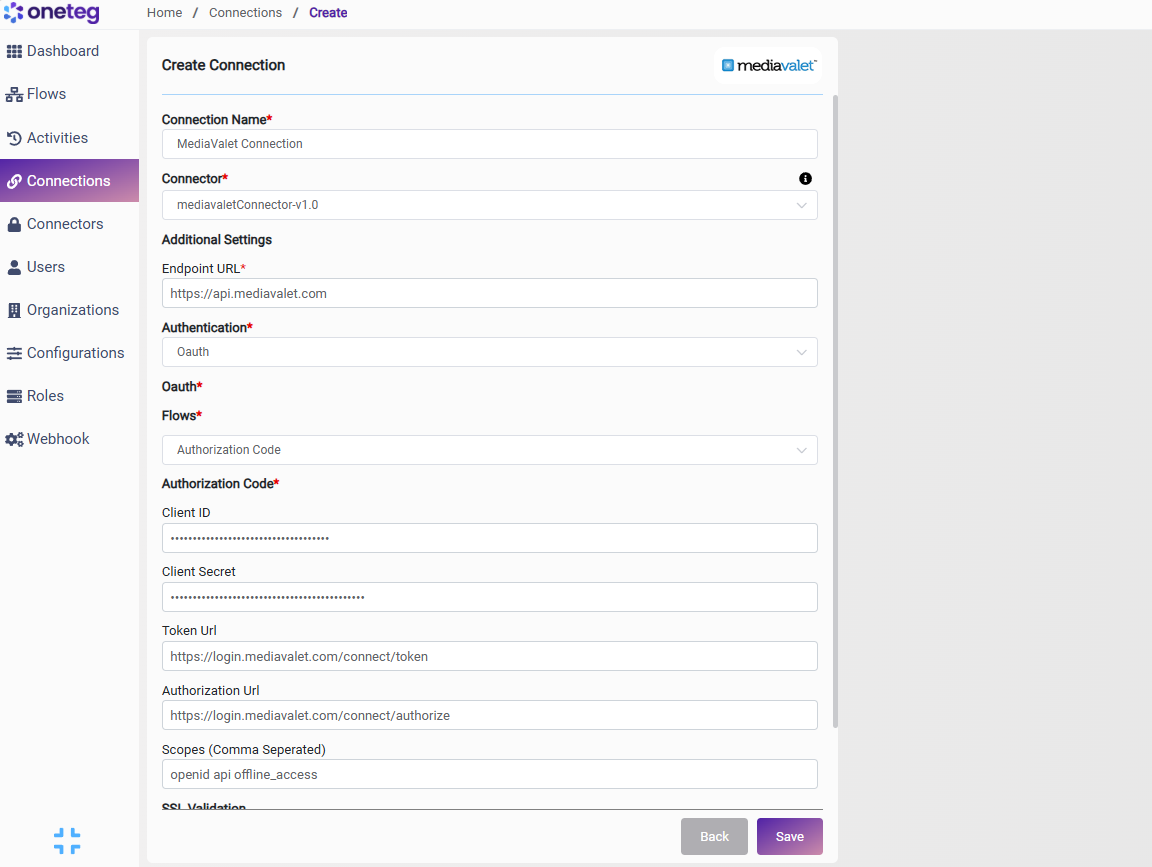
|
Settings Parameters |
Value / Sample Value |
Description |
Required (Y/N) |
|
Connection Name |
MediaValet Connection |
Choose a name for your Connection |
Y |
|
Connector |
mediavaletConnector-v1.0 |
Auto-populated once the MediaValet Connector is selected |
Y |
|
Endpoint URL |
Base URL of the MediaValet API. This value is fixed and does not change |
Y |
|
|
Authentication |
OAuth |
Select OAuth from the dropdown |
Y |
|
Flows |
Authorization Code |
Select Authorization Code as the OAuth grant type |
Y |
|
Client ID |
MediaValet OAuth Client ID |
Obtained from MediaValet: Admin → Integrations → OAuth Applications → your app → Client ID |
Y |
|
Client Secret |
MediaValet OAuth Client Secret |
Obtained from MediaValet: Admin → Integrations → OAuth Applications → your app → Client Secret. Store securely and do not share |
Y |
|
Token URL |
Fixed MediaValet identity server token endpoint. This value is standard and does not change |
Y |
|
|
Authorization URL |
Fixed MediaValet identity server authorization endpoint. This value is standard and does not change |
Y |
|
|
Scopes |
openid api offline_access |
Space-separated MediaValet OAuth scopes. openid enables identity, api grants API access, offline_access enables token refresh without re-authorization |
Y |
4. Supported MediaValet Actions and Options
For the full list of supported endpoints, parameters, and options, see the page below: