
1. General Information
Scaleflex is a cloud-based Digital Asset Management (DAM) and media optimization platform. Its core product, Filerobot, provides a centralized hub for storing, organizing, transforming, and delivering digital assets — including images, videos, and documents — at scale. Scaleflex is widely used by marketing teams, e-commerce platforms, and media organizations to streamline asset workflows and optimize media delivery across channels. The OneTeg Scaleflex Connector uses Filerobot Hub (http://hub.filerobot.com ) as the portal for managing API credentials.
The OneTeg Scaleflex Connector integrates with the Filerobot API and enables users to build automated workflows for uploading, managing, searching, and distributing digital assets directly from the OneTeg flow builder.
2. Connect Scaleflex to OneTeg
The Scaleflex Connector authenticates using a Filerobot API Key (Secret key). API Keys are managed in the Filerobot Hub portal under Settings → Access → API keys. Follow the steps below to obtain your API Key.
Step 1 - Log In to the Filerobot Hub
Go to http://hub.filerobot.com and log in with your Scaleflex account credentials. Once logged in, you will land on the Filerobot Hub dashboard.
Step 2 - Navigate to Settings → Access → API keys
In Filerobot Hub, navigate to Settings → Access → API keys tab. You will see a list of existing API keys with their Secret key values. Copy the Secret key of an existing entry, or click + Add key to generate a new dedicated key for the OneTeg integration. Enter a description (e.g., "OneTeg Integration") to identify it easily.
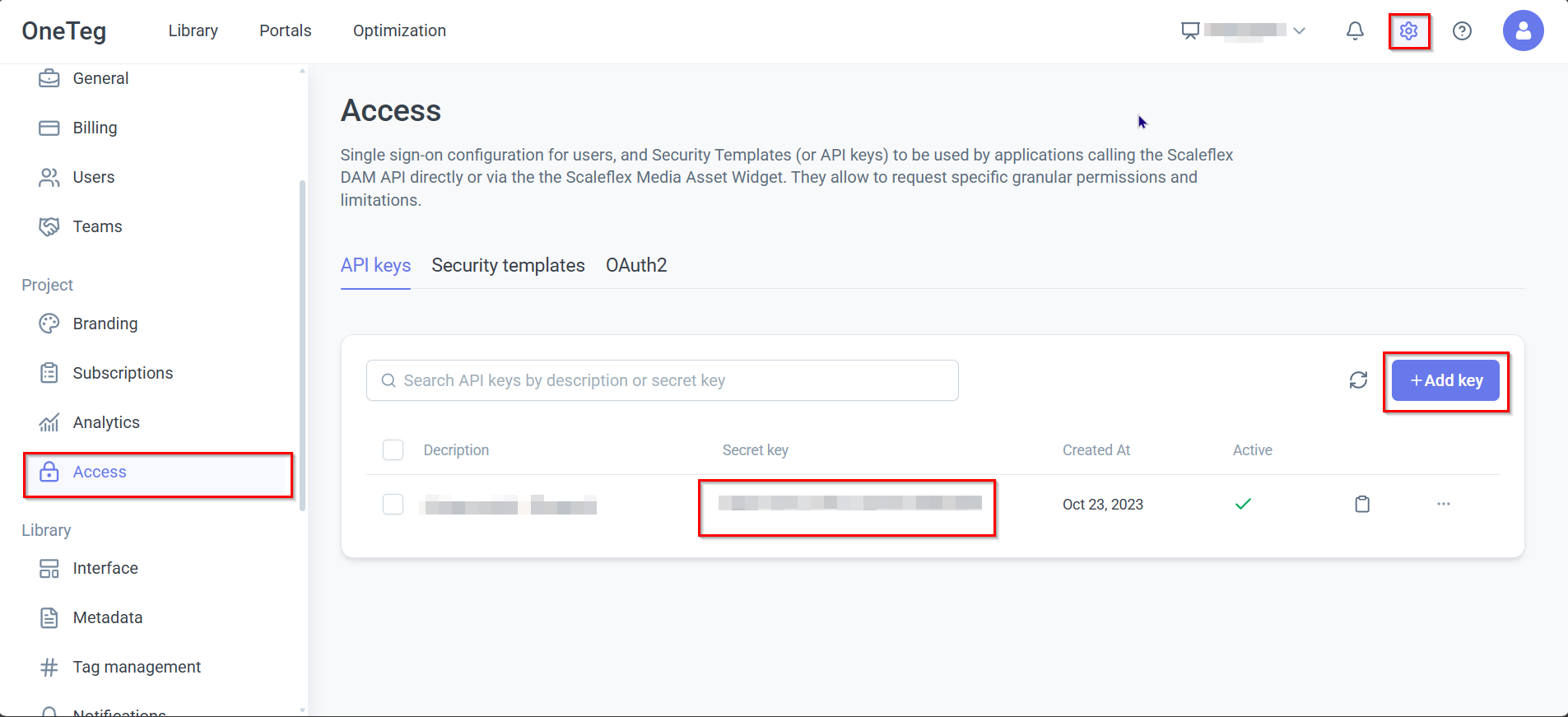
Your Scaleflex API Key is tied to your specific Filerobot container (environment). If your organization has multiple containers, ensure you are copying the API Key from the correct container that your OneTeg flows will interact with.
3. Connection Settings and Configuration for OneTeg
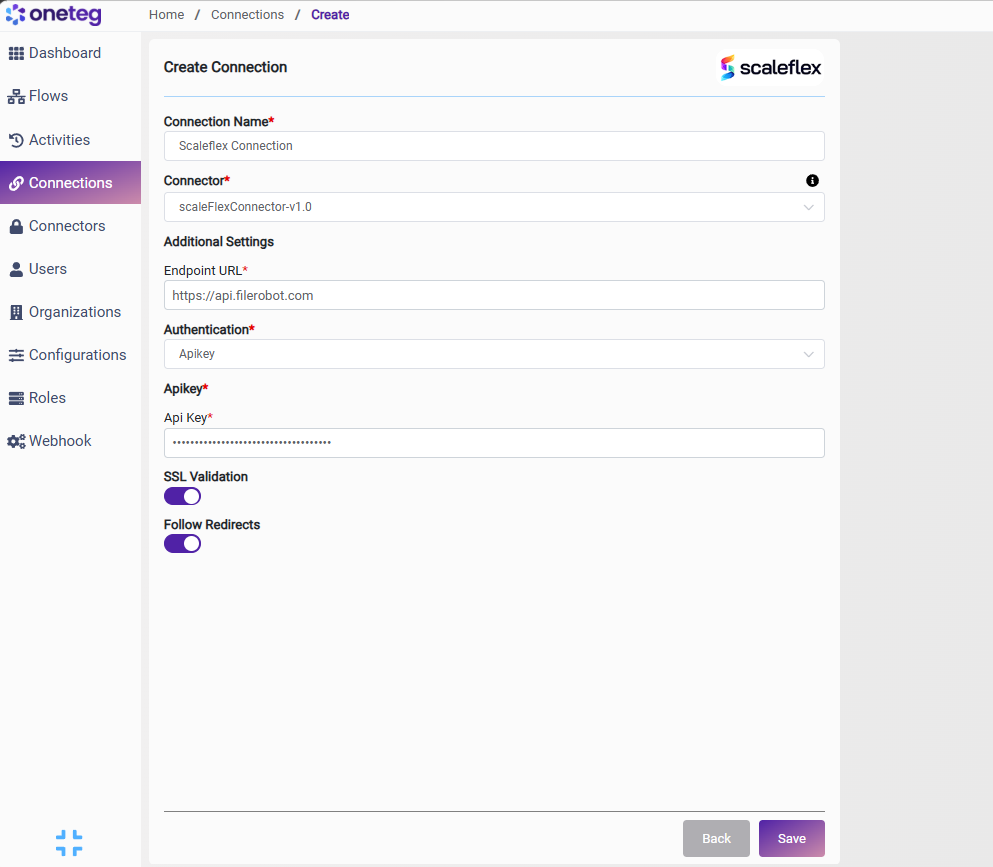
In OneTeg, navigate to Connections and create a new connection using the Scaleflex Connector. Fill in the settings below using the API Key obtained from the Filerobot Hub.
|
Settings Parameters |
Value / Sample Value |
Description |
Required (Y/N) |
|
Connection Name |
Scaleflex Connection |
Choose a name for your Connection |
Y |
|
Connector |
scaleFlexConnector-v1.0 |
Auto-populated once the Scaleflex Connector is selected |
Y |
|
Endpoint URL |
Base URL of the Filerobot API. |
Y |
|
|
Authentication |
Apikey |
Select Apikey from the dropdown |
Y |
|
Api Key |
Filerobot API Key |
Obtained from Filerobot Hub: Settings → Access → API keys → Secret key column. Copy an existing key or create a new dedicated one using + Add key. Tied to your specific Filerobot container |
Y |
4. Supported Scaleflex Actions and Options
For the full list of supported endpoints, parameters, and options, see the page below: