
1. General Information
Contentful is a headless content management system (CMS) that lets organizations manage and deliver content across multiple platforms and channels through APIs. Unlike traditional CMS platforms, Contentful separates content from presentation, storing structured content in a central content hub that can be delivered to websites, mobile apps, and other digital products. It provides distinct APIs for content delivery, content management, and previews.
The OneTeg Contentful Connector integrates with the Contentful Content Management API (CMA), enabling users to create, read, update, and manage content entries, assets, and content models directly from OneTeg automation workflows. This connector authenticates using a Bearer token in the form of a Contentful access token.
The Contentful Content Management API uses a Personal Access Token (or an OAuth application token) for authentication. Personal Access Tokens are generated from your Contentful account settings and carry the same permissions as the user who created them.
2. Connect Contentful to OneTeg
The Contentful Connector authenticates using a Personal Access Token for the Content Management API. Follow the steps below to generate your token.
Step 1 - Log in to Contentful
Navigate to https://app.contentful.com and log in with your Contentful account credentials.
Step 2 - Open API Token Settings
Click the Settings menu in the top navigation and select CMA tokens (Content Management API tokens), or navigate to Settings → API keys and open the Content management tokens tab.
Step 3 - Generate a Personal Access Token
Click Create personal access token. Enter a descriptive name — for example, "OneTeg Integration" — and generate the token.
Step 4 - Copy the Token
Once generated, the token is displayed only once. Copy it immediately and store it securely — it cannot be retrieved again after you close the dialog. This is the value you will enter into the token field in OneTeg.
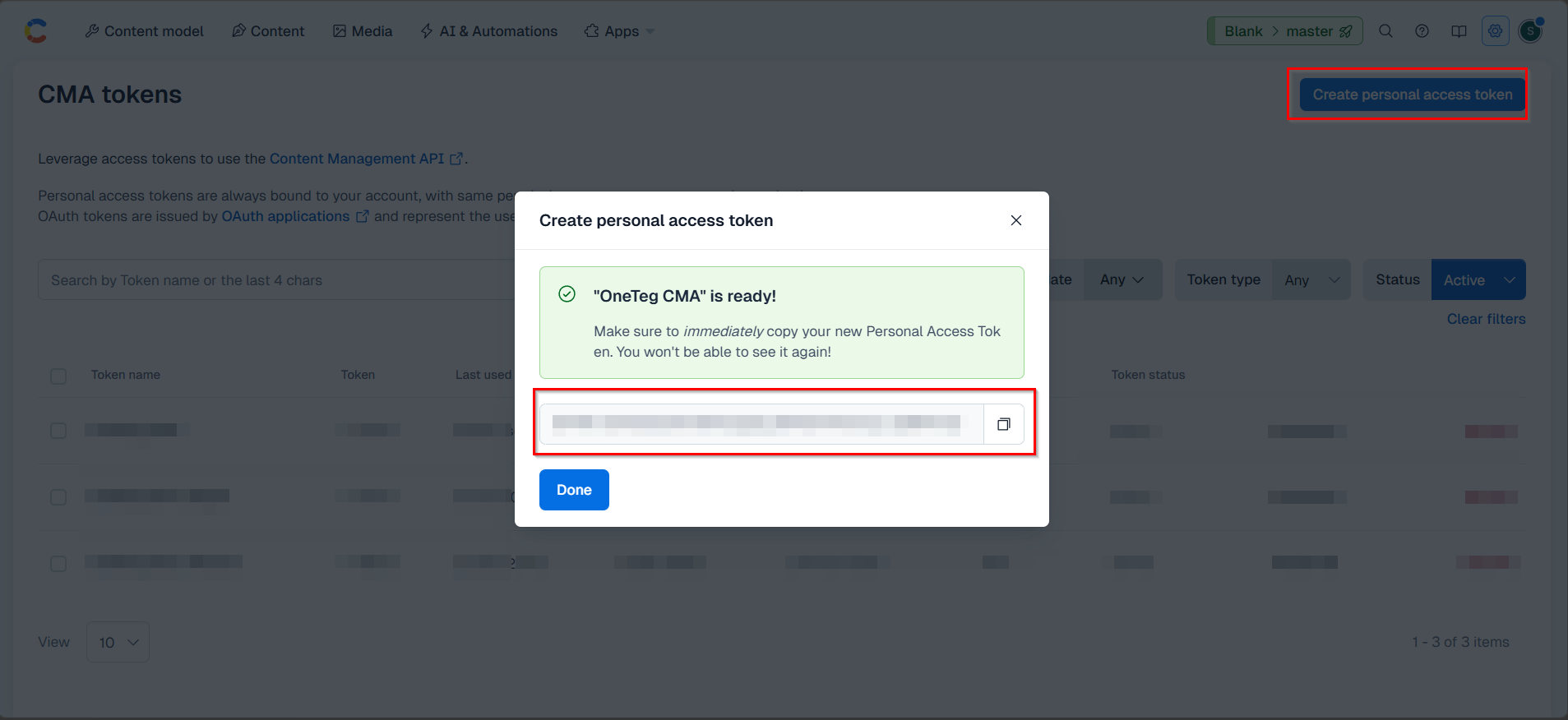
Keep your Personal Access Token confidential. It carries the same permissions as your Contentful user account. If it is ever exposed, revoke it from the CMA tokens settings and generate a new one, then update the value in your OneTeg connection.
3. Connection Settings and Configuration for OneTeg
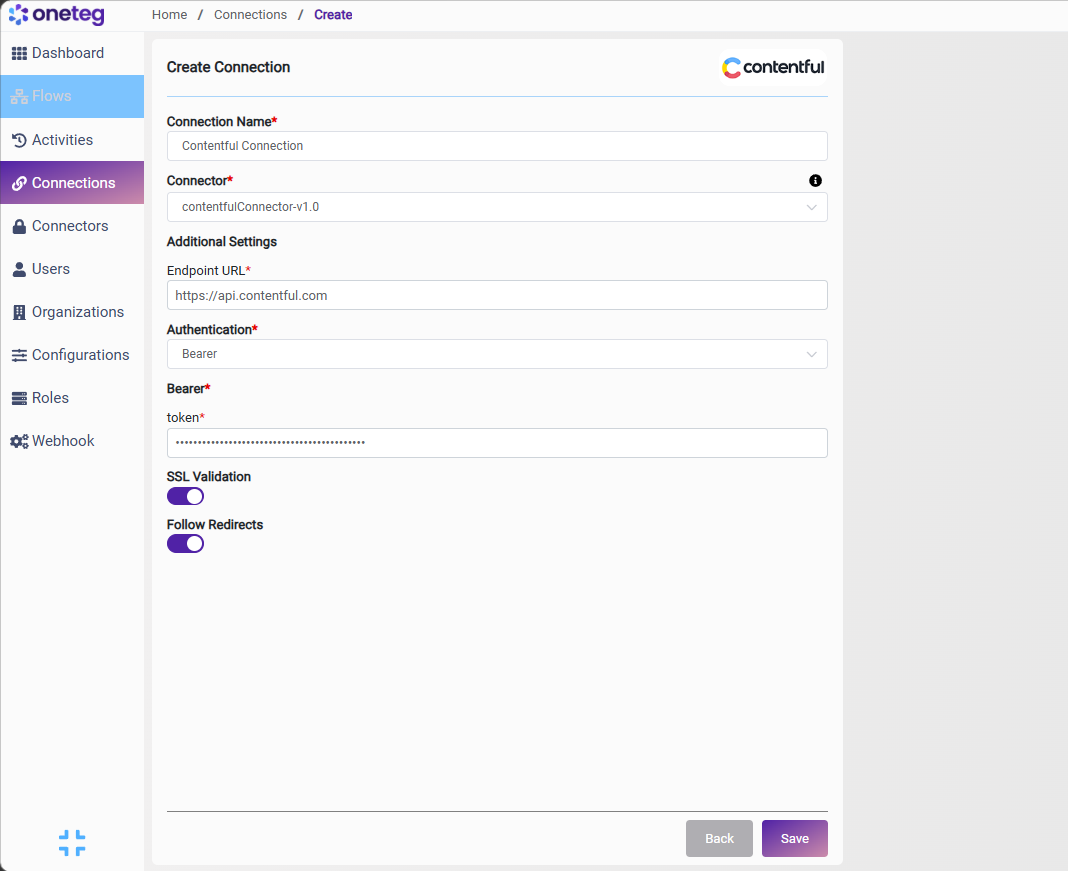
In OneTeg, navigate to Connections and create a new connection using the Contentful Connector. Fill in the fields below using the Personal Access Token obtained in Section 2.
|
Settings Parameters |
Value / Sample Value |
Description |
Required (Y/N) |
|
Connection Name |
Contentful Connection |
Choose a name for your Connection |
Y |
|
Connector |
contentfulConnector-v1.0 |
Auto-populated once the Contentful Connector is selected |
Y |
|
Endpoint URL |
https://api.contentful.com |
The base URL of the Contentful Content Management API (CMA) |
Y |
|
Authentication |
Bearer |
Select Bearer as the authentication method |
Y |
|
token |
Your Contentful access token |
The Personal Access Token generated from Contentful Settings → CMA tokens (see Section 2) |
Y |
4. Supported Contentful Actions and Options
For the full list of supported endpoints, parameters, and options, see the page below: